BlinkShell is becoming a very popular SSH/Mosh Client for iOS; one of the reasons for this being that it allows the use of a mouse/trackpad to directly mark text. You can find out more about BlinkShell here: https://blink.sh/
Here is a short guide, explaining how to use the SSH keys stored in your document in Royal TSi in combination with BlinkShell.
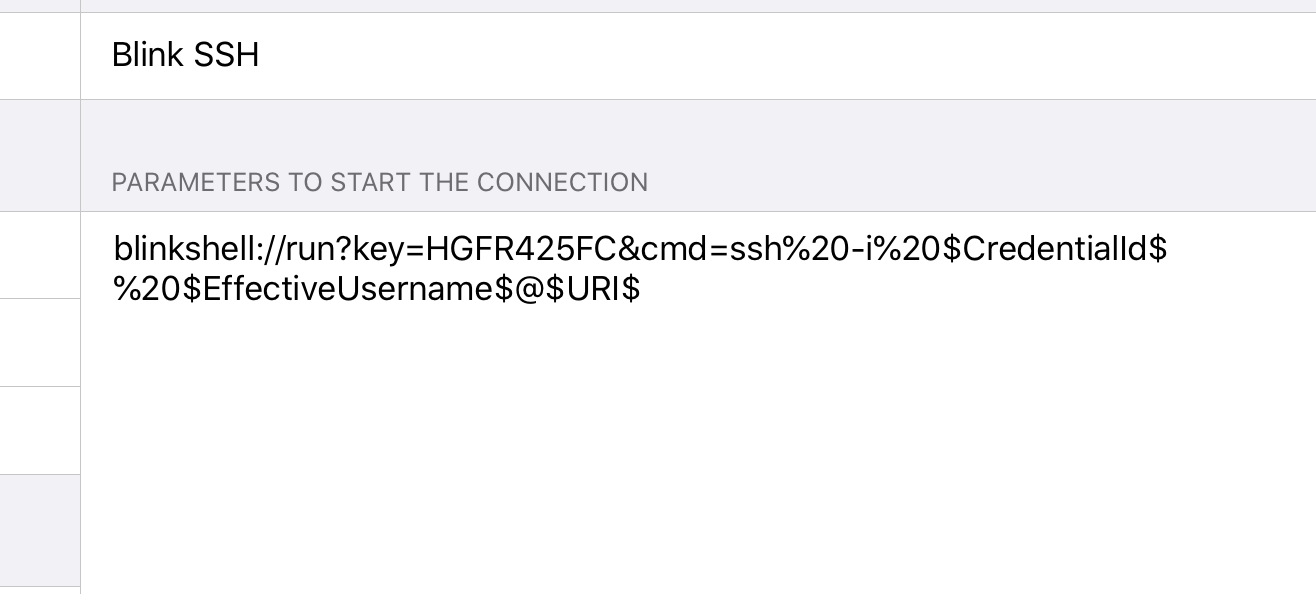
First, you will need to add custom configuration like this:
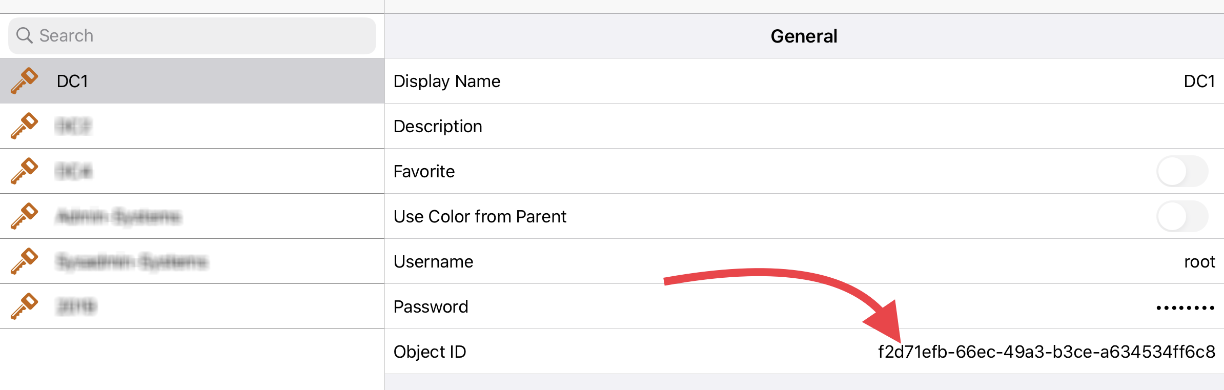
Next, you will have to get the keys ID from here:
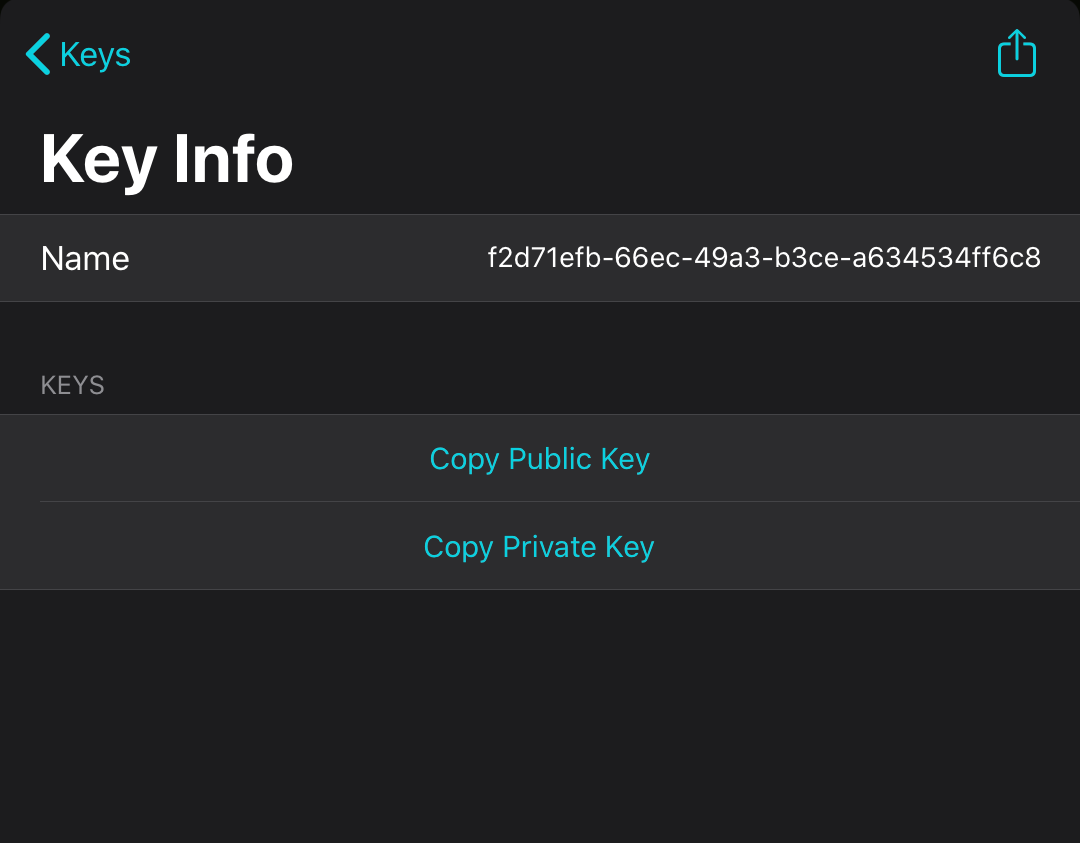
After that, add the matching private key in BlinkShell and make sure you name it identically to the Object ID from the document:
Once you have done that, you are finished. The best part of this solution is that you can change ssh%20-i to mosh%20-I and use Mosh connections from RoyalTSi instead of SSH.
Special thanks go out to Robin Muller for sharing this information with us!