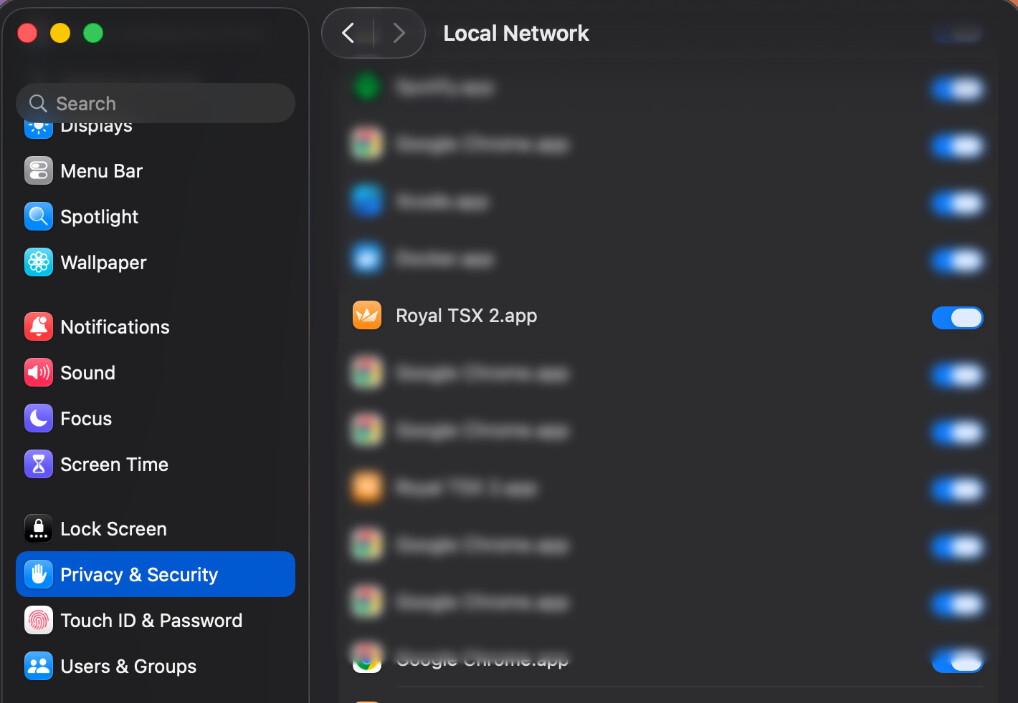
In case you are experiencing issues with SSH connections, please make sure that the macOS Settings > Privacy & Security > Local Network " permission is set for Royal TSX:
If the issue persists using the iTerm2 plugin, there’s a neat trick that can help isolate errors.
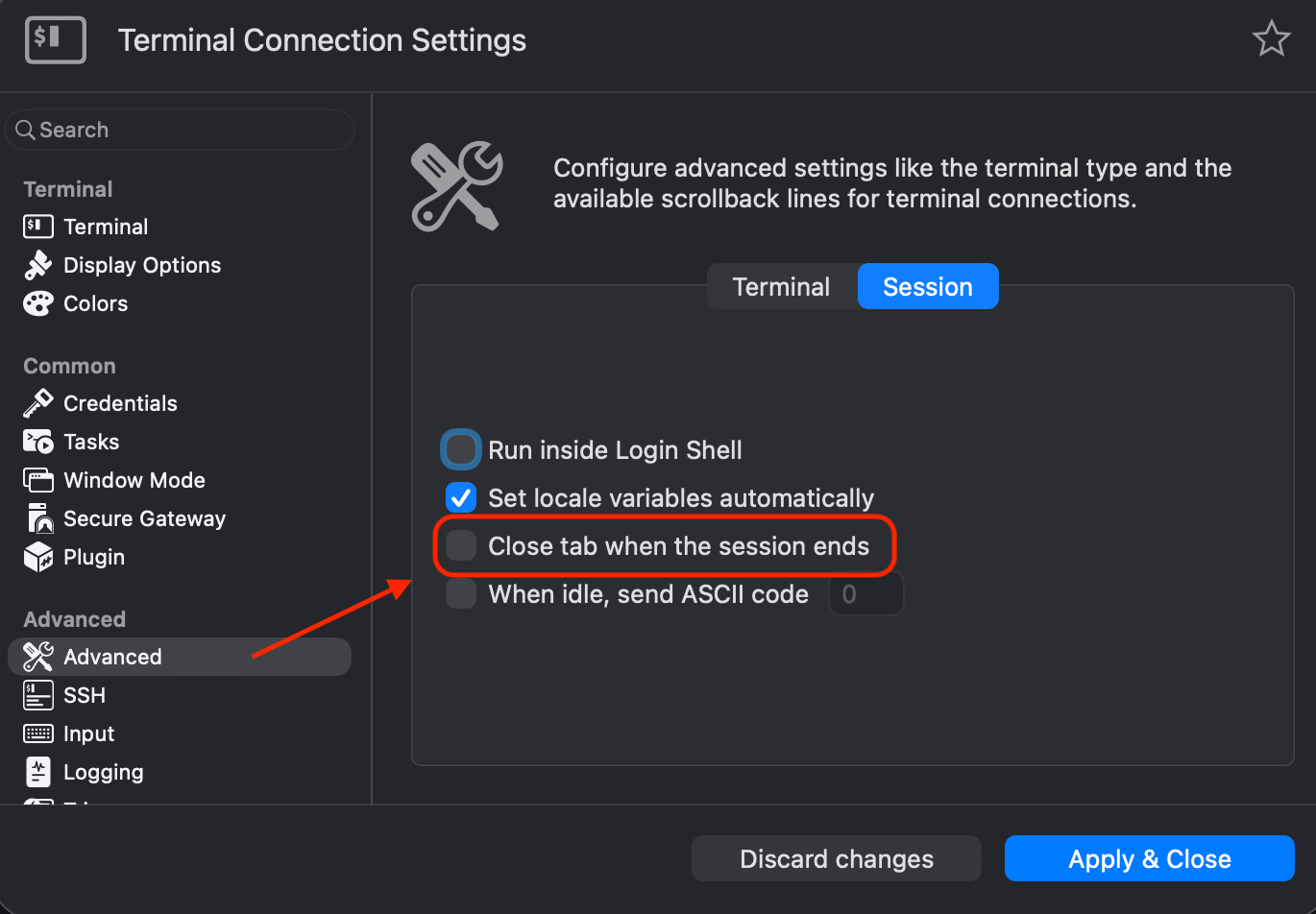
The iTerm2 plugin provides a setting to keep the tab open even if an error occurs while establishing the connection, this allows you to see what the exact error is.
To enable it, go to the properties of your terminal connection and select the “Advanced” section, then select the “Session” tab and uncheck “Close tab when the session ends”:
Now you should be able to see the error at the next connection attempt.