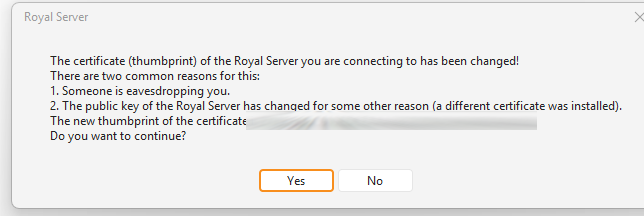
We are routing the Royal Server website through a reverse proxy which does automatic certificate renewal. Each time the certificate get’s renewed, this message appears on all users.
the fingerprint is stored on the Royal Server object in the RoyalServerFingerprint property. You could update the object using a PowerShell script after the cert changed - not sure if this is feasible. Probably depends on the interval and if you can hook into the cert renewal.
We could provide an option to disable these checks on a Royal Server object level but I’m curious about the certificate you get. Is this a self-signed certificate or is this a valid certificate from a CA in your environment?
Thanks for your answer. Unfortunately updating the object is not really feasible. We are using valid certificates from Let’s Encrypt and the certificates are renewed every 21 days.
Official certificates decrease in lifetime until 2029 to 47 days, that’s why we already started implementing automations especially with nginx reverse proxies.
That’s OK, many thanks. Our users are informed to just click on “Yes”. But if a valid official certificate is used, I would not show a certificate message at all.
That’s at least what Devolutions also does Not to compare your solution with them
 Not to compare your solution with them