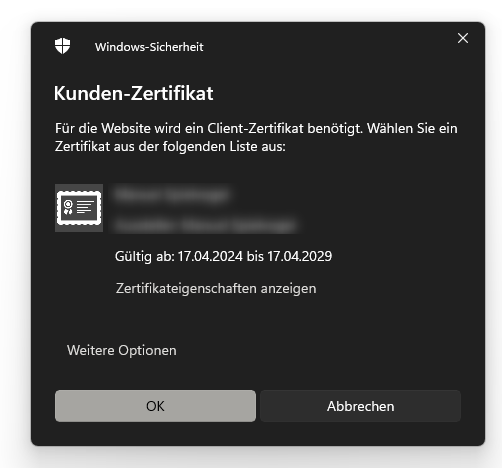
when trying to connect with RoyalTS to some web pages, it asks me on some webpages to chosse a certificate.
I have to web pages, both using a letsencrypt certificate. One asks me for a certificate every time (attachment), the other works fine without any interruption.Couldn’t find any differences beetween these two. When aborting the prompt for a certificate, the web pages loads without any issues. I tried direct connection and also via a royalserver gateway.
the dialog you see shows up if the remote server asks for a client certificate. This has nothing to do with server/https certificates. It also seems that the server does not require you to provide a client certificate, that’s why the page seems to load fine when cancelling the prompt. You can find more information about the implementation details here:
What kind of web page is prompting you for a client certificate? Is this an in-house app or a public web site where you can contact the owner for more information?
First, a big thank you for always answering my questions here
I did not notice that it is asking for a client certificate. Thanks for pointing that out.
It’s the website from the FortiClient EMS (Endpoint Management Server).
I did install chrome to test the website with it -> no certificate prompt. Maybe I just don’t see it in the browser or it only is appearing when using RoyalTs…
Maybe the difference in behavior is related to the user agent string? Maybe you can also look at the dev tools (in both Chrome and Royal TS) to find out why you see the prompt in Royal TS.
That’s weird. I can’t really think of anything which could “break” web page connections in that way. I’m wondering what happened. If you see that again, please open a support ticket so that we can have a look.
Hi everyone, since some time I have a similar problem with my Fortigate firewalls: Everytime I open the login page within RoyalTS, I am asked for a client certificate. I have to close this window and then I could use RoyalTS automation to login.
If I open the login page outside of RoyalTS with Chrome, this certificate popup does not show up. Would be nice to have an option to disable this certificate popup in RoyalTS …