Hi Nicolas,
thanks for the detailed report. Your assessment was correct: username/password authentication cannot complete when Proxmox requires an interactive Yubico OTP or another MFA challenge.
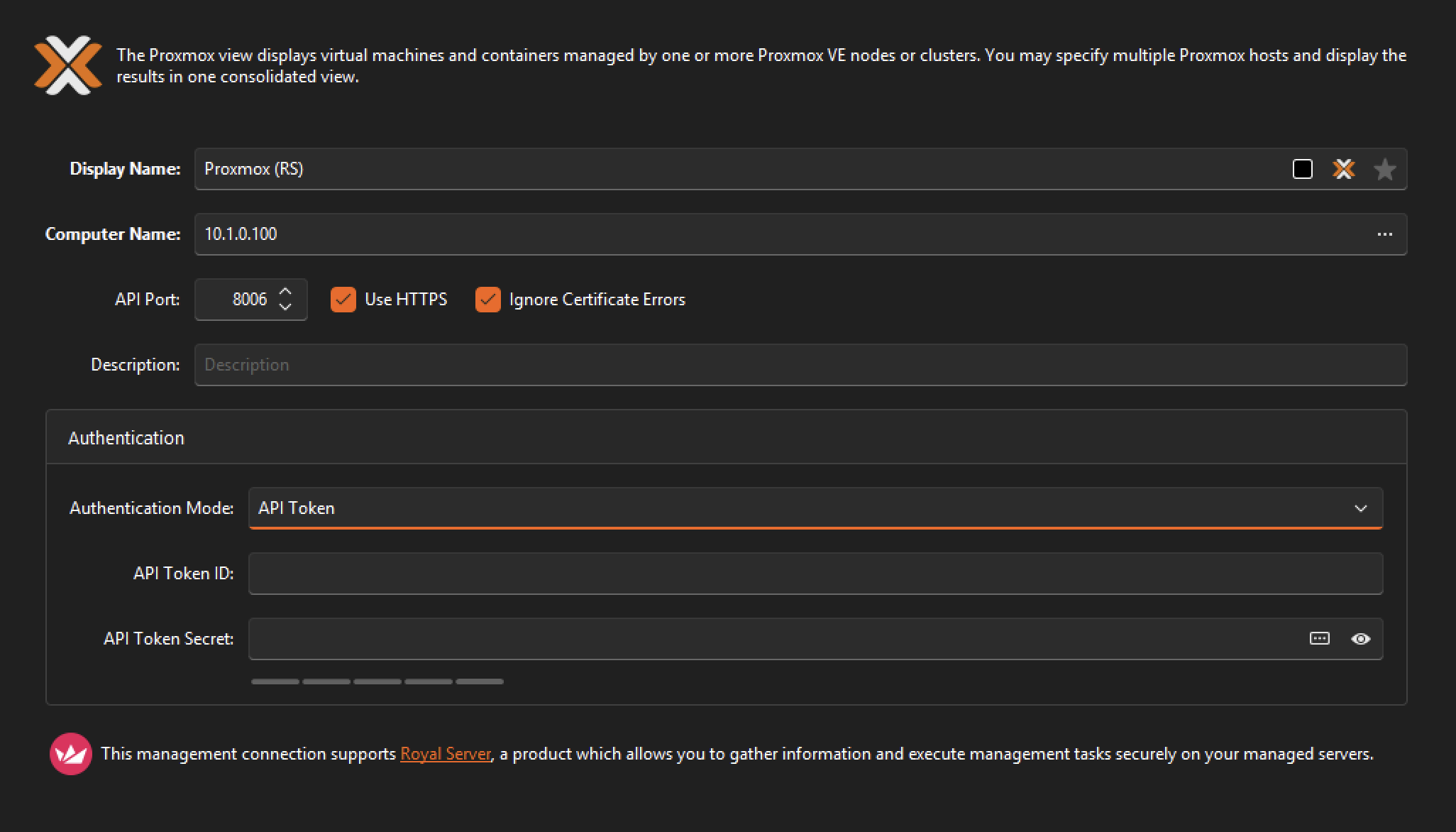
We have now implemented explicit API-token authentication for Proxmox connections in Royal TS for Windows.
On the connection’s main page, a new Authentication Mode setting lets you select:
- Username and Password — the existing default.
- API Token — using a full token ID such as
royalts@pve!royalts and the associated token secret.
The token secret is stored as an encrypted password property. It is passed through the normal credential channel and is never placed in module arguments or diagnostic logs.
For backward compatibility, the previously undocumented convention also remains supported: credentials whose username already uses the user@realm!tokenid format are automatically recognized as API tokens.
What uses the API token?
The API token is used for all Proxmox REST operations, including:
- Inventory, status and configuration
- Performance data
- Guest-agent details
- Start, stop, restart, reset, suspend and resume
- Reading and editing guest notes
- Native console ticket creation where supported
API tokens are stateless, so these calls do not require an interactive MFA/OTP challenge.
The normal credential configured on the Credentials page remains separate:
- Host SSH always uses the normal credential, never the token secret.
- Instance SSH continues to use its separately selected credential.
- Web UI auto-login tries the normal password credential. If the password is unavailable or MFA prevents ticket creation, Royal TS opens the requested Proxmox page without a preconfigured cookie so you can sign in interactively.
- Native console tries the API token first. Proxmox VE 9.0.13 and later support token-owned console tickets and WebSockets. With older versions, Royal TS retries once using the normal password credential, but only after an authentication rejection—not after TLS, routing, timeout, or unrelated permission errors. This follows the upstream Proxmox token-console work.
Required permissions
API tokens use the normal Proxmox role and ACL system. With privilege separation enabled (privsep=1), the token’s effective permissions are the intersection of:
- Permissions assigned to the backing user.
- Permissions assigned to the token.
Consequently, the required roles must be assigned to both the user and user@realm!tokenid. A token can never have more access than its backing user. This behavior is described in the Proxmox VE Administration Guide.
For all Royal TS features, the following privileges are required:
| Royal TS capability |
Proxmox privilege |
Suggested path |
| Inventory, status, configuration and performance |
VM.Audit |
/vms, a pool, or selected guests |
| Guest-agent network/filesystem details |
VM.GuestAgent.Audit on PVE 9; VM.Monitor on PVE 8 |
/vms |
| Start, stop, restart, reset, suspend and resume |
VM.PowerMgmt |
/vms |
| Edit guest notes |
VM.Config.Options |
/vms |
| VM/container native console |
VM.Console |
/vms |
| Cluster-node resolution and datacenter tag styling |
Sys.Audit |
/ |
A least-privilege setup could use two custom roles:
pveum role add RoyalTSVM \
  -privs "VM.Audit VM.GuestAgent.Audit VM.PowerMgmt VM.Console VM.Config.Options"

pveum role add RoyalTSClusterAudit \
  -privs "Sys.Audit"
Assign them to the backing user:
pveum acl modify /vms -user royalts@pve -role RoyalTSVM
pveum acl modify / -user royalts@pve -role RoyalTSClusterAudit
Create the token and, when using privsep=1, assign the same roles to it:
pveum user token add royalts@pve royalts -privsep 1

pveum acl modify /vms -token 'royalts@pve!royalts' -role RoyalTSVM
pveum acl modify / -token 'royalts@pve!royalts' -role RoyalTSClusterAudit
On Proxmox VE 8, replace VM.GuestAgent.Audit with VM.Monitor.
A simpler but broader alternative is:
PVEVMAdmin on /vmsPVEAuditor on /
PVEVMUser alone is insufficient because it does not contain VM.Config.Options, which Royal TS needs to edit guest notes.
Proxmox displays a token secret only once. It’s recommended to set an expiration date and rotating or revoking tokens through the normal Proxmox administration workflow.
I hope I can get a build out later today for you to test.
Best regards,
Stefan