Hi @stefan_koell !
I spotted some issues with fonts in RoyalTerminal Ghossty implementation 
I usually configure every software that handle a monospace font with Iosevka/IosevakTerm and RoyalTS / Windows Terminal / VisualStudio[Code].
There is also a NerdFonts version when you need extended characters sets (like with Oh-My-Posh or Btop++). 
While testing RoyalTerminal, I noticed few points:
- The font selector in Rebex/RoyalTerminal does not show the same list as for PuTTY
a. It is limited to strict monospace fonts
b. With PuTTY plugin you can also select proportional fonts - In some case, there is a weird spacing between end of line and the cursor
a. With mono font
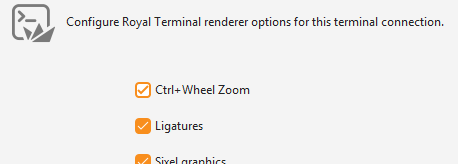
b. With size of 13, but not 12 - Ligatures are not enabled even with the option enabled
Regarding the first point:
-
The Iosevka & IoservkaTerm NerdFonts comme with 3 options:
- Regular (NF version) with standard characters width but icons usually 1.5 normal width
- Mono (NFM version) with every characters forced to the standard width
- Proportional (NFP version) for some other cases
-
While the PuTTY plugin allow the use of all the versions (NF/NFM/NFP), the Rebex/RoyalTerminal only allow the NFM version
-
The difference between NF/NFM is more of a visual comfort with icons :


While PuTTY isn’t able to handle variable width characters cells, Ghostty is clearly modern enough to be able to
For the second point:
- This is the one I’ve mentionned yesterday and I finally found out how to reproduce it!
- It seems to happen only with the Nerd Fonts Mono versions (I also tried with FiraCode NFM, same issue) but not with plain regular Cascadia Code

- When you type a pretty long line, the more you type the more the space between the last character and the cursor grow, same while pasting from clipboard
- Changing the zoom level seems to correct the issue, but after reconnecting it do it again
- Also, the startup zoom level does not seem to be 100% as CTRL+0 shrink the terminal text

- I’ve done a quick screencast to show this : RoyalTerm_font-width.mp4
- I’ve also done a quick screencast of how native Ghostty behave with the same font/size under Fedora to compare : Ghostty_Fedora.mp4
- I’ve tried to change various settings available (sixel graphics, text shaping, …) but didn’t find a combination that help

And for the last point:
-
I’m not able to get ligatures working even with the dedicated option selected :
-
The font is natively ligatures capable, Windows Terminal & VSCode can display them correctly but it don’t work with RoyalTerminal (PuTTY is too old to know about ligatures
 ) : RoyalTerminal_Ligatures.mp4
Hope those will not be too hard to hunt
Best Regards,
Nicolas.