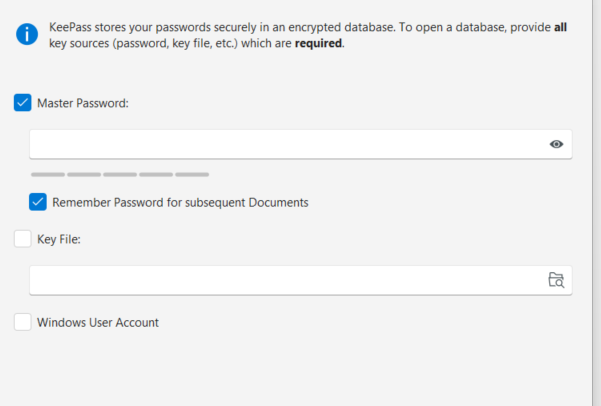
I’ve opened a KDBX File with the “External Credential Vault” menu inside Royal TS on my windows computer. It’s opening fine after entering my Master Password, but for some reason it doesn’t save the password even though it’s set as “Remember Password for subsequent Documents.” I have to re-enter it every time I open the app. I also need to open my royalserver document as well whenever i open the app.
I use KeePassXC and I created a group inside KeePassXC with KeeShare and am loading up that new database into RoyalTS. Note that this is working fine on the macOS app. RoyalTS/X prompts me for my fingerprint, and it loads just fine every time without having to re-enter my master password for my KDBX file ach time.
My applications document is encrypted and also protected with windows hello.
Hi,
thanks for the question. Right now, TS doesn’t store the KeePass file password in the credential manager. I will add this option to our todo list and implement the same for TS.
Regards,
Stefan
I understand implementing these kinds of changes takes time. However, the current behavior with Royal TS and a synchronized Royal Server document breaks my workflow. I want to keep my credentials secured on my local machine outside of the synchronized document. When I’m on my Windows machine, I am forced into the below workflow:
- Open the application.
- Wait for the previously connected server session to attempt connection and fail, because the external credential vault is locked and cannot supply the credentials.
- Manually open the external credential vault and input the master password.
- Manually reconnect to synchronized document.
This introduces significant daily friction. The macOS version seamlessly handles this without major interruption.
I implemented the same behavior as TSX has. So hopefully the new behavior doesn’t break your workflow anymore. Stay tuned for one of the next versions where this has been implemented.
1 Like
Thanks, hopefully will be released soon.