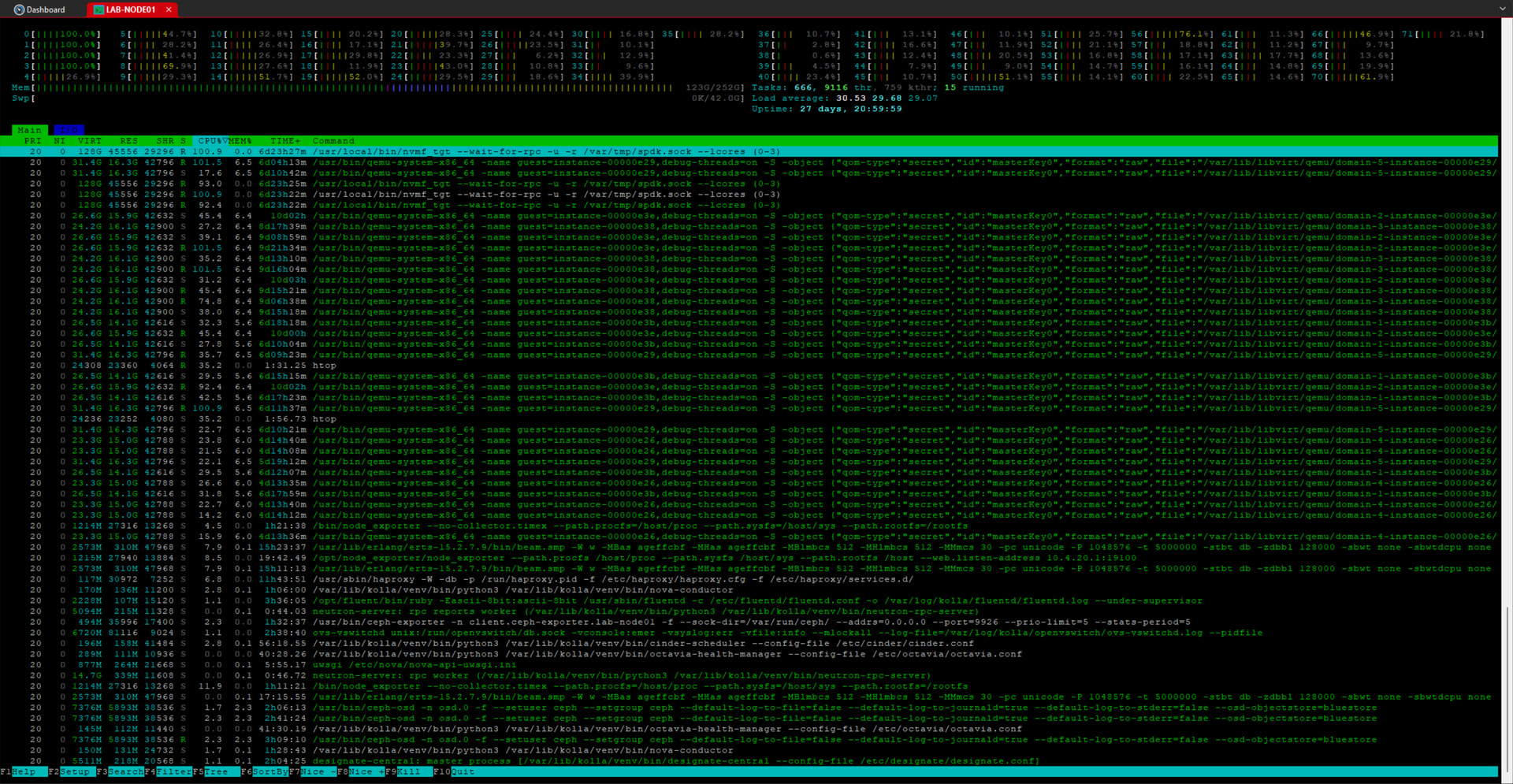
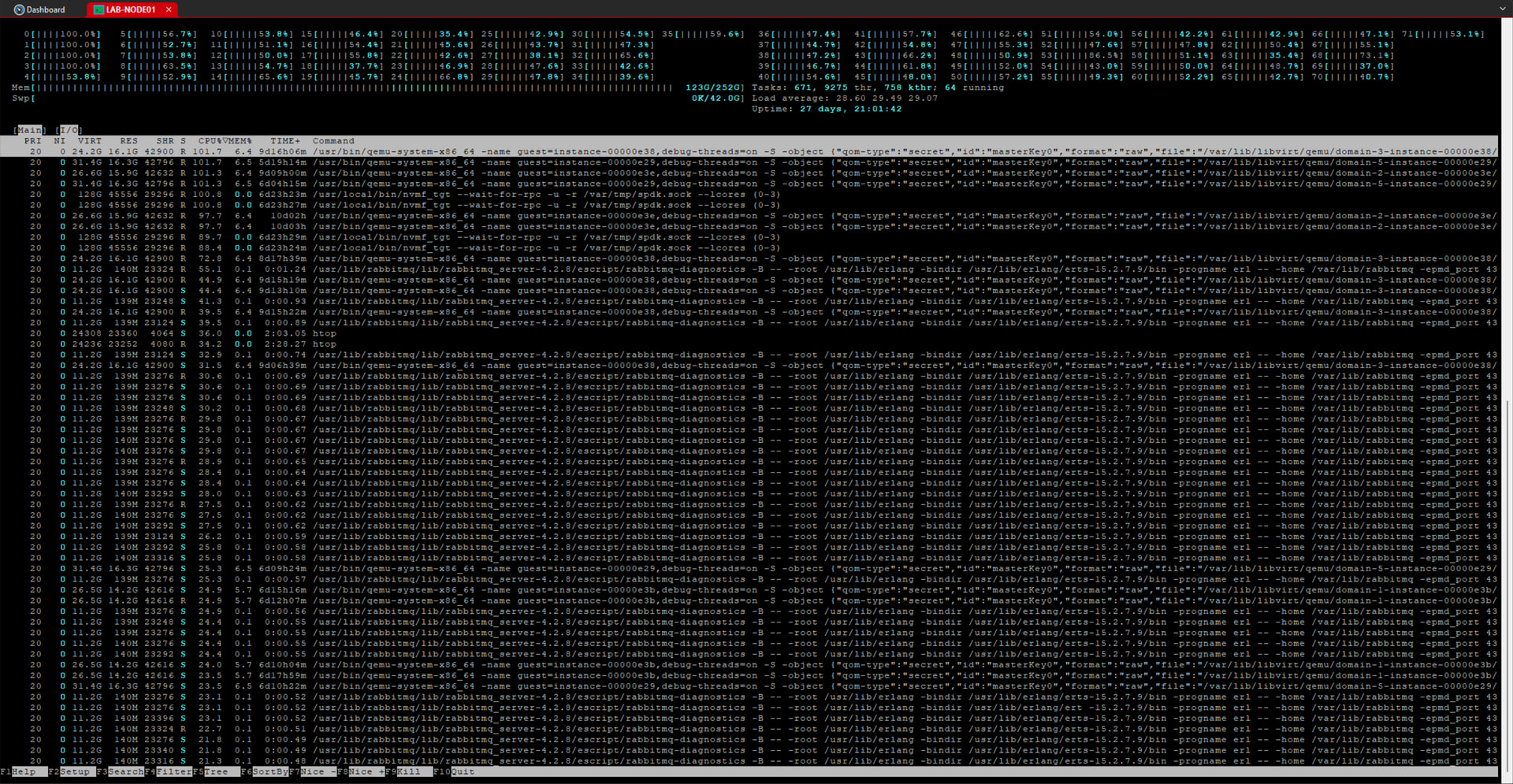
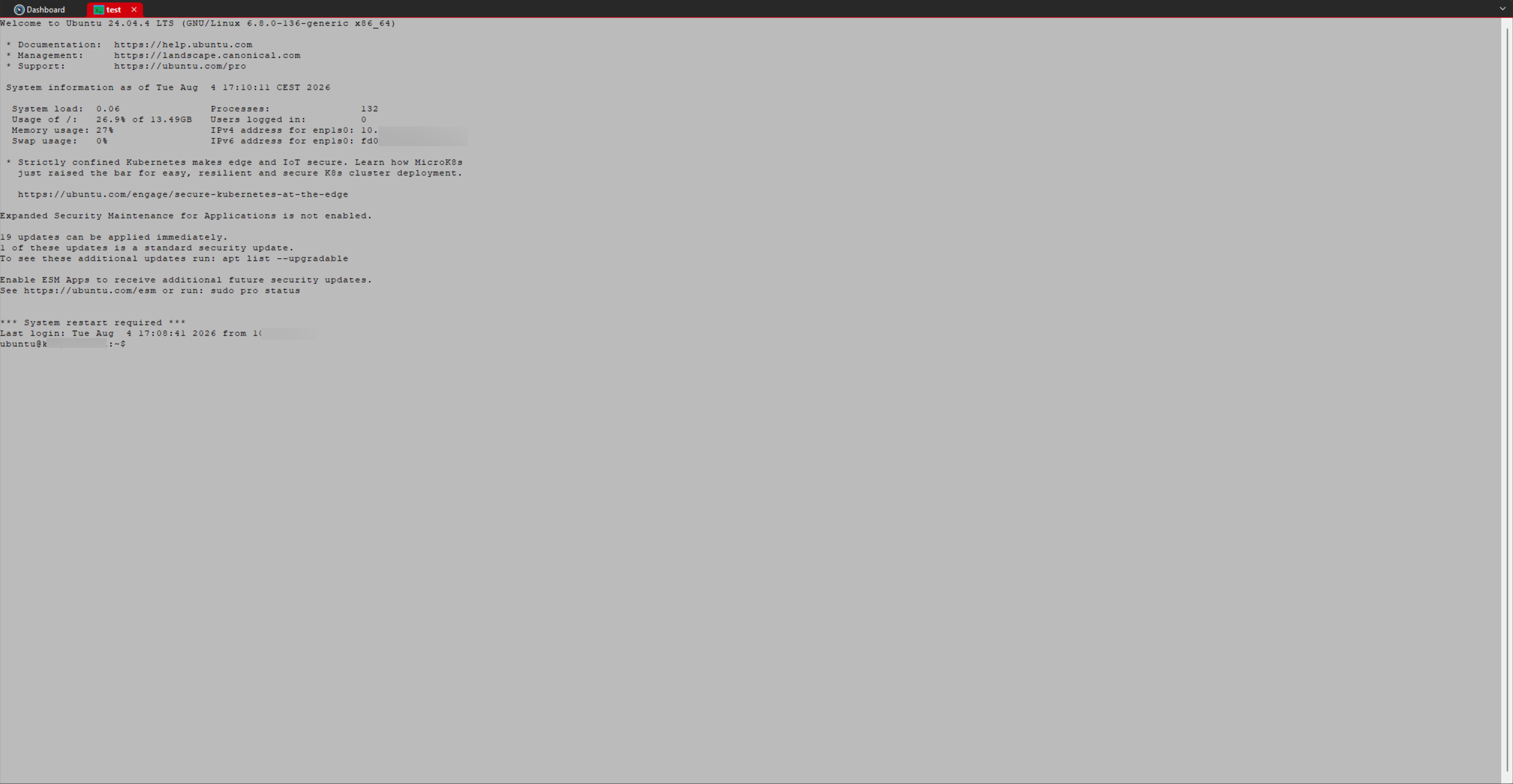
Hello, I tried Royal TS 26 Beta since 2-3 weeks, I found out that the colors rendering on terminal is wrong, like in monochrome. I changed nothing and it use the RTS v7 current config.
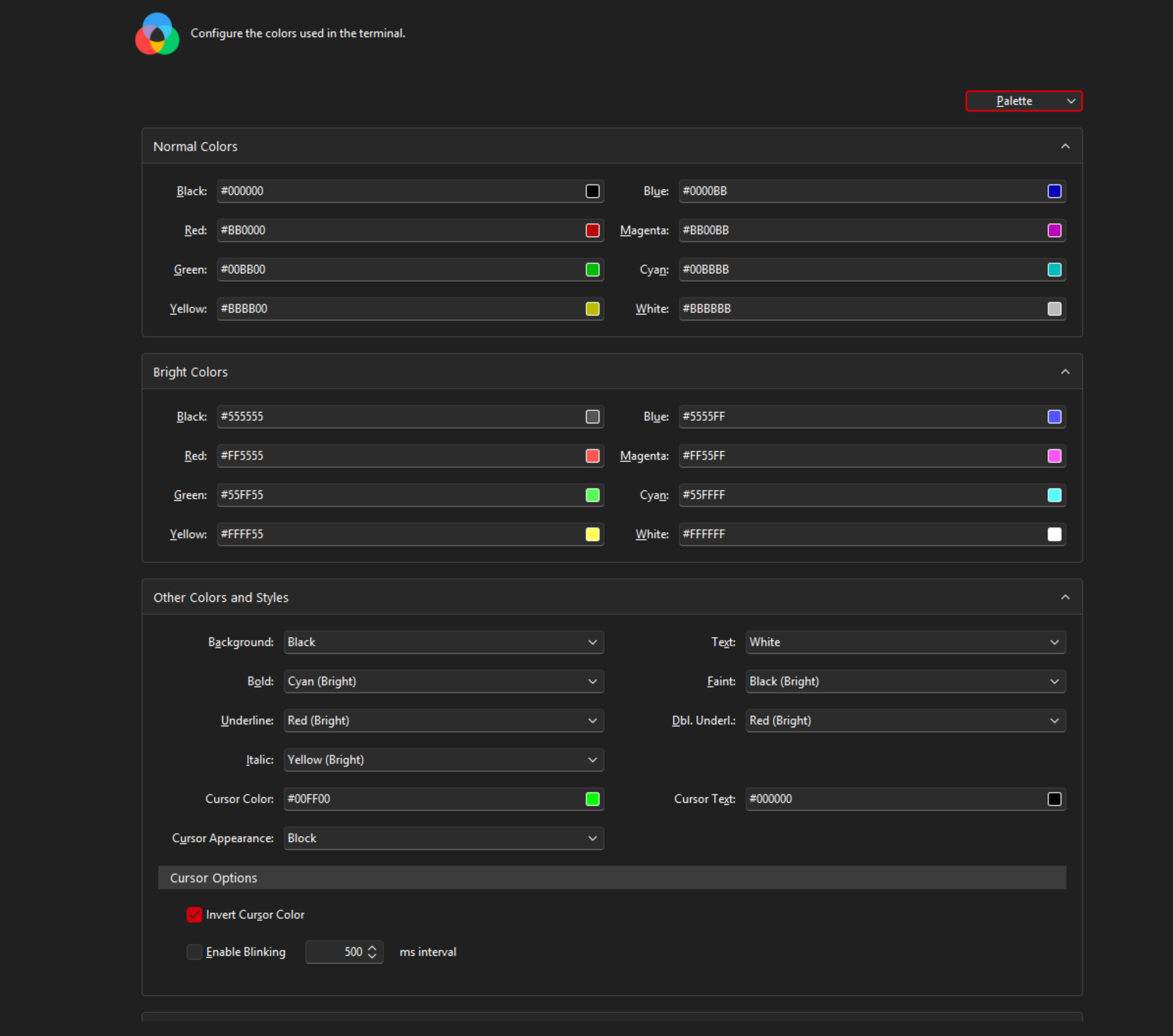
I tried to change color settings but it nothing better.
Screenshots from V7 and Beta 26 :
Hi!
Can you provide more information:
- Are you still using the Rebex renderer or did you switch to Royal Terminal?
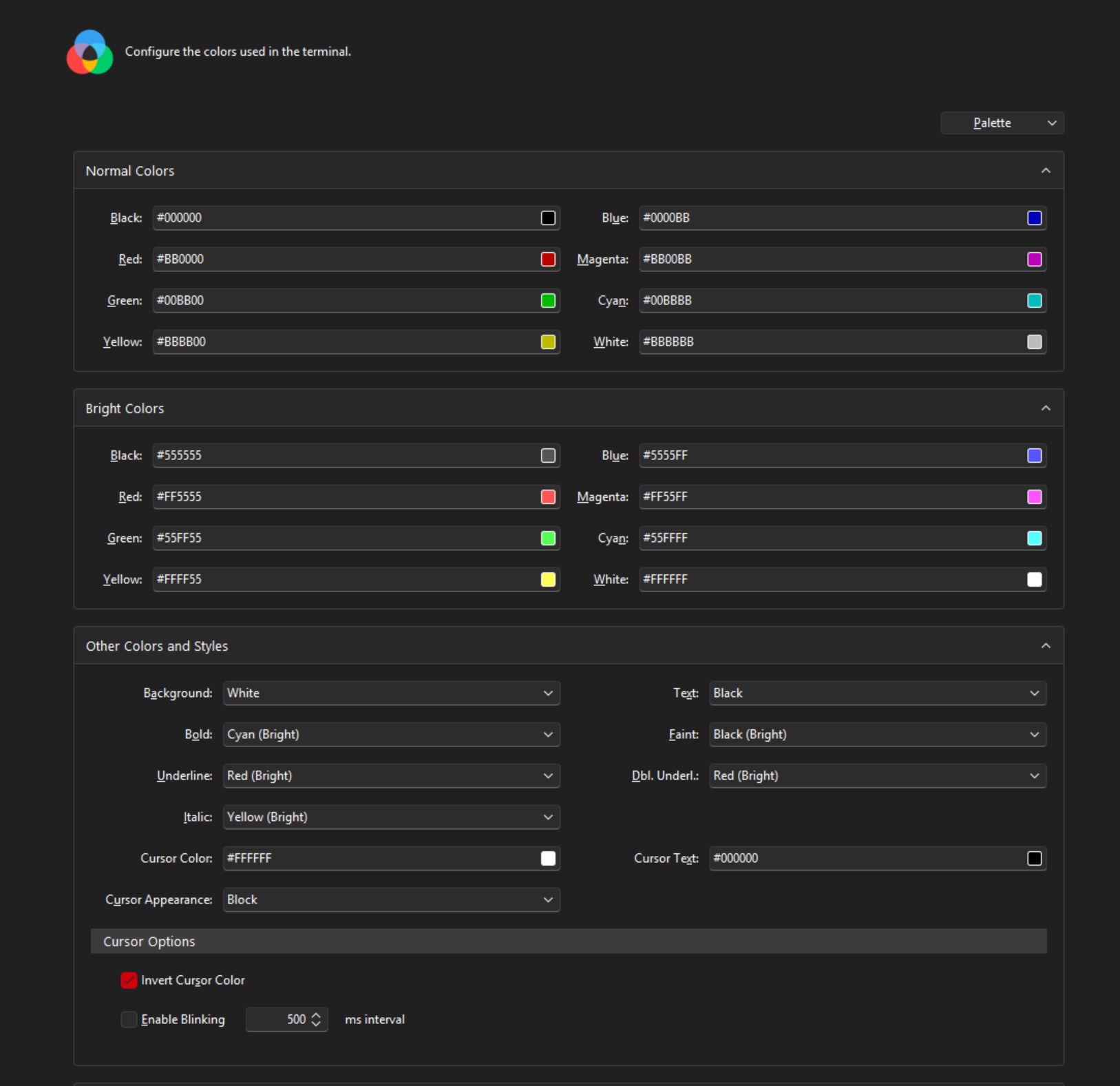
- Can you post a screenshot of the color configuration
- Also the terminal name can influence the color output. Usually you want to specify
xterm-256color
Regards,
Stefan
That’s very strange. Follow up questions:
- Is this reproducible on multiple target hosts?
- Do you know the exact V7 version where it renders differently?
- Can you provide a sample document incl. a connection with the same configuration (no creds)
- If it’s a specific machine showing this behavior, let us know what the target machine runs (OS, device/appliance)
Thanks!
Oh, I switched to Royal Terminal and after setting Input Terminal to xterm-256color, it showed fine ! I think there are a regression with Rebex on RTS 26.
If you need the color scheme config exported from a working connection in V7 : drop.infini.fr
Thanks for all the information. I will look into it.
Thanks again for the report and the files. We tracked this down to a change in Royal TS V26 that caused all Rebex terminal connections to use Rebex’s Custom color mode.
Rebex’s ANSI Palette and Custom Palette and Text Colors modes have different semantics:
- ANSI Palette interprets ANSI/SGR colors from terminal applications such as
htop.
- Custom Palette and Text Colors maps output to configured semantic colors such as Text, Bold, Faint, Italic, and Underline.
Because Custom mode cannot represent all ANSI color combinations, converting existing ANSI connections to equivalent Custom settings would not be lossless. We therefore restored the original Rebex behavior:
- Existing ANSI Palette connections use Rebex’s Color mode and retain their configured ANSI palette.
- Monochrome connections use Rebex’s native Monochrome mode.
- Custom Palette and Text Colors connections continue to use semantic style colors.
- Existing documents are not migrated or modified automatically.
The Colors page once again shows the color-scheme selector for Rebex connections. Text Highlighting is available in both ANSI and Custom modes, and applying or importing a palette switches the connection to Custom mode.
The fix is planned for the next beta build.