RDP with web account via RoyalTS

Hello everyone,

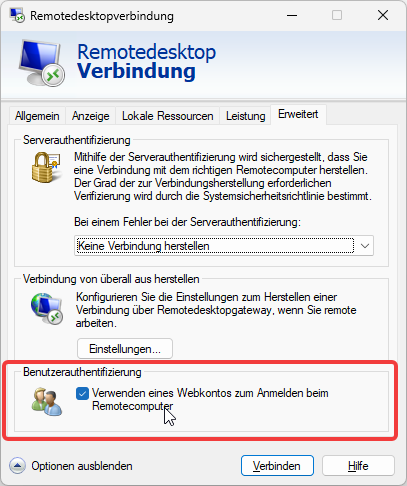
since the industry seems to move to Passkeys instead of Passwords I am testing some things and learned, that there is a button to check in classic RDP “Use web account for remote login” which is quite handy since we use hello for business anyway.

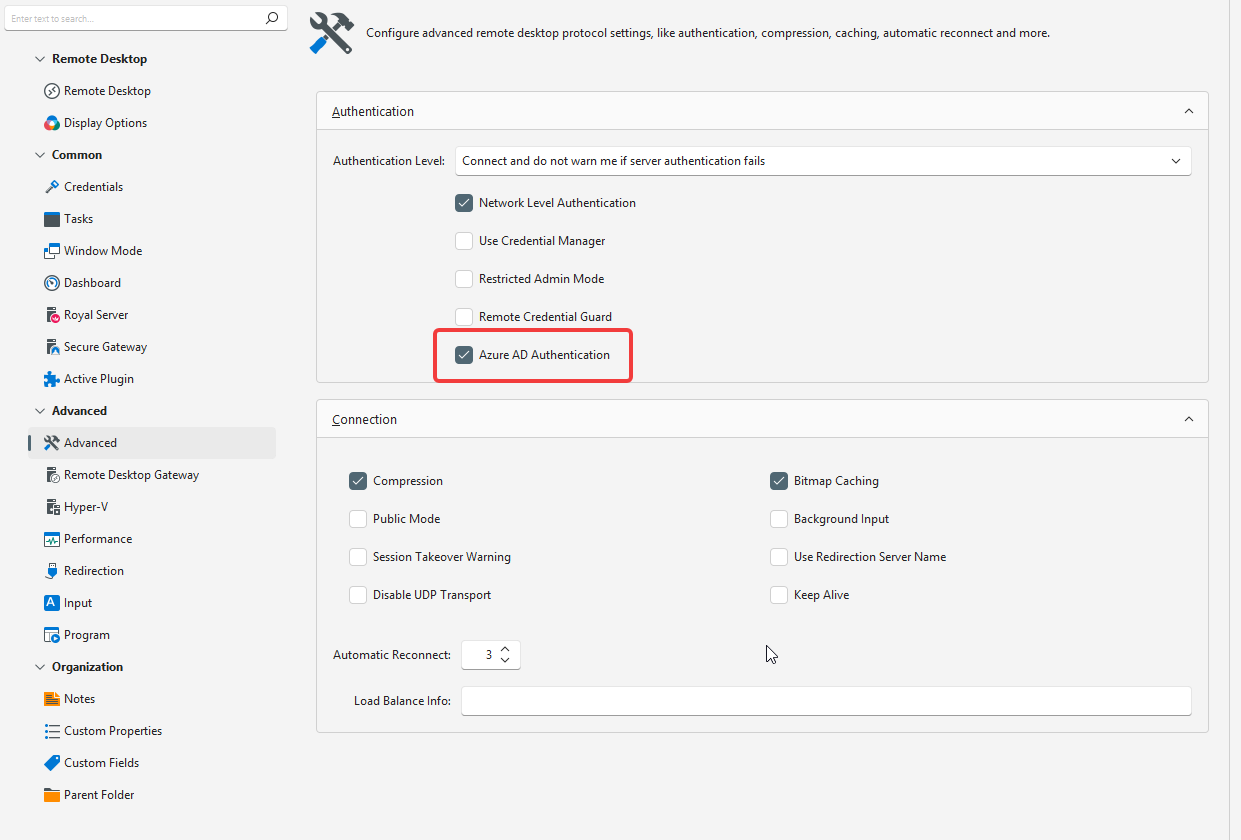
There is an option in the RDP connection settings “Azure AD Connection” but this does not seem to trigger the same connection/authentication dialog when using native RDP.

Hi!

Which version of Royal TS did you try?
Also, can you look at the log in View → Log and see if the connection logs a warning that the setting couldn’t be applied?

Regards,
Stefan

I do use version 7.4.50622

Blockquote
[
{
“Severity”: 2,
“TimeStamp”: “2026-07-15T10:11:13.361815+02:00”,
“TimeStampUtc”: “2026-07-15T08:11:13.361815Z”,
“Category”: “Application”,
“Message”: “Connecting to "vm3"”,
“Identifier”: null,
“Details”: ,
“Exception”: ,
“RoyalObjectProperties”: [
{
“Key”: “ID”,
“Value”: {
“ValueKind”: 3
}
},
{
“Key”: “Name”,
“Value”: {
“ValueKind”: 3
}
},
{
“Key”: “URI”,
“Value”: {
“ValueKind”: 3
}
},
{
“Key”: “Port”,
“Value”: {
“ValueKind”: 3
}
},
{
“Key”: “Description”,
“Value”: {
“ValueKind”: 3
}
},
{
“Key”: “ObjectType”,
“Value”: {
“ValueKind”: 3
}
},
{
“Key”: “Path”,
“Value”: {
“ValueKind”: 3
}
},
{
“Key”: “ConnectionType”,
“Value”: {
“ValueKind”: 3
}
},
{
“Key”: “PluginID”,
“Value”: {
“ValueKind”: 3
}
},
{
“Key”: “CustomField1”,
“Value”: {
“ValueKind”: 3
}
},
{
“Key”: “CustomField2”,
“Value”: {
“ValueKind”: 3
}
},
{
“Key”: “CustomField3”,
“Value”: {
“ValueKind”: 3
}
},
{
“Key”: “CustomField4”,
“Value”: {
“ValueKind”: 3
}
},
{
“Key”: “CustomField5”,
“Value”: {
“ValueKind”: 3
}
},
{
“Key”: “CustomField6”,
“Value”: {
“ValueKind”: 3
}
},
{
“Key”: “CustomField7”,
“Value”: {
“ValueKind”: 3
}
},
{
“Key”: “CustomField8”,
“Value”: {
“ValueKind”: 3
}
},
{
“Key”: “CustomField9”,
“Value”: {
“ValueKind”: 3
}
},
{
“Key”: “CustomField10”,
“Value”: {
“ValueKind”: 3
}
},
{
“Key”: “CreatedBy”,
“Value”: {
“ValueKind”: 3
}
},
{
“Key”: “Created”,
“Value”: {
“ValueKind”: 3
}
},
{
“Key”: “ModifiedBy”,
“Value”: {
“ValueKind”: 3
}
},
{
“Key”: “Modified”,
“Value”: {
“ValueKind”: 3
}
}
],
“AdditionalProperties”: [
{
“Key”: “ConnectionName”,
“Value”: “vm3”
},
{
“Key”: “ThreadId”,
“Value”: “2”
},
{
“Key”: “EnvironmentUserName”,
“Value”: “company\account”
},
{
“Key”: “MachineName”,
“Value”: “PCName”
}
],
“HasNoDetails”: true,
“HasNoException”: true,
“HasNoProperties”: false,
“HasNoRoyalObject”: false
}
]

When connecting via native RDP I do get promted to a windows online login dialouge, but when using RoyalTS I do get forwarded to HelloForBusiness (as I would not set the check box on native RDP client)…
The pasted log entry doesn’t show any details/exceptions. Can you post a screenshot?

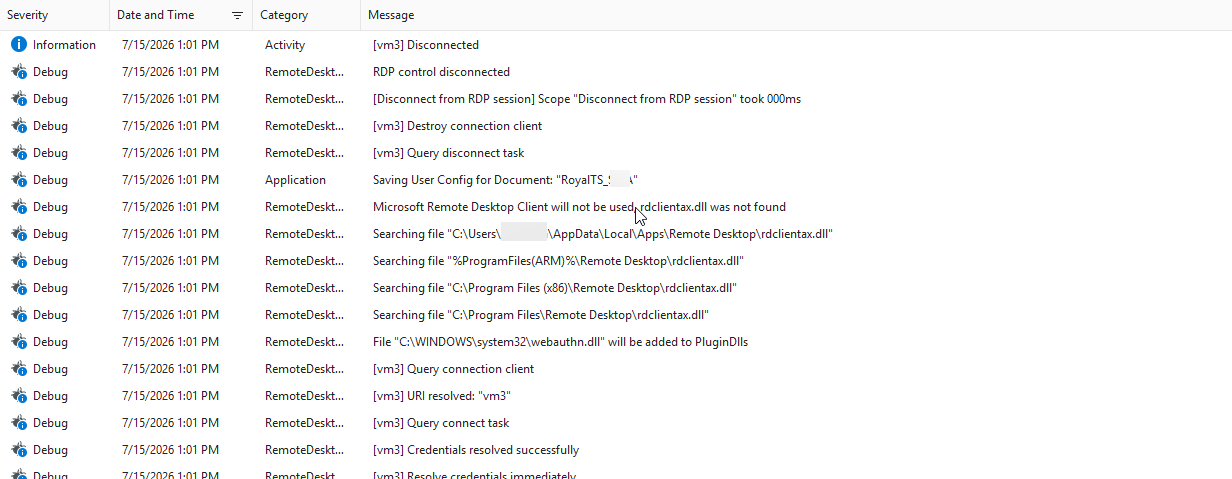
I did enable debug logging now there are some more entries but nothing point into direction that settings were not applied:

Only thing that sounds strange to me is that rdclientax.dll is missing - don’t know if this has something to do with it tough.

Credentials are set to “do not use any credentials”

The rdclientax.dll log entry is not relevant here.

Can you check the following:

  1. Ensure Remote Credential Guard and Restricted Admin mode are disabled in the Royal TS connection and not enforced through policy.
  2. Ensure Royal TS uses exactly the same hostname as MSTSC—not an IP, alias, or loopback endpoint introduced by a Secure Gateway.
  3. Leave the RDP client version on Automatic for testing.
  4. Test with the UPN available as the username/account hint, but without a password.

Microsoft documents the property’s existence ( EnableRdsAadAuth), but I found no official ActiveX example or statement promising that third-party ActiveX hosts receive MSTSC’s complete account-picker/broker experience.

On the other hand, I’m actively working on an implementation for FreeRDP on v26 (currently in beta). I hope that I can successfully implement the broker flow there. If I have a version to test, I’ll let you know.

Another update:

I just reproduced the issue myself. Turns out the missing app.manifest forces the RDP ActiveX control to fall back to the system’s credential prompt. The next release will have this fixed.

Thanks for your effort!

Hi,

we just released a new version which should resolve the issue:

Would be great if you can provide some feedback if this is now working for you.

Thanks!
Stefan

Seems good so far. I will let you know if I discover further issues. Thank you!

Thanks for reporting back. Glad it’s working now. Don’t hesitate to post if you see any further issues.

cheers,
Stefan