There have been a couple of similar questions regarding this but none of the topics I found provided a good answer/instructions. I think its possible to do this in RoyalTS but I’ve been unsuccessful so far.
At the moment, when I want to open a web page (say phpMyAdmin) that is only served to localhost on the remote server I do the following:
Open Chrome and visit http://127.0.0.1:9999/phpmyadmin
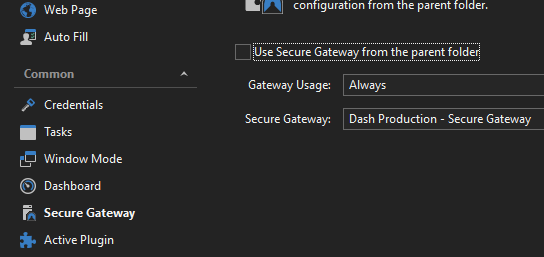
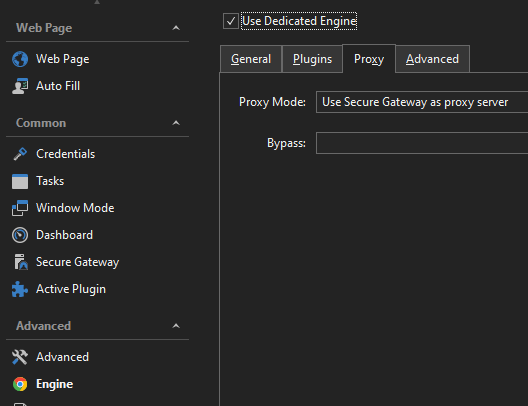
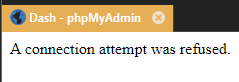
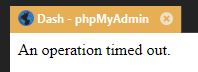
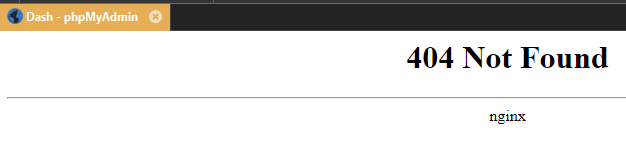
I’ve attempted to use a Secure Gateway with a dedicated engine and the ‘Secure Gateway as a proxy server’ mode without success. I’ve tried a few different variations of that. I either get a ‘Connection attempt was refused’ or ‘An operation timed out’ message in the embedded browser window. I also had a quick look at using the External Application feature with Secure Gateway but no success there either.
Is it possible to use RoyalTS (v6) for my scenario? If it is, is someone able to provide some quick instructions?
Ultimately getting this working in RoyalTS will only save me maybe 30 seconds each time I need to access a web page in this manner, but that time quickly adds up. It’s very useful to keep configuration in the same place though.
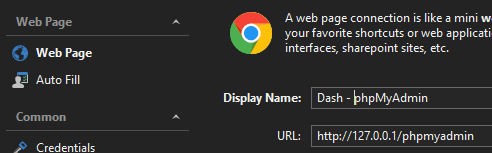
Can you provide more information how you set up the secure gateway as proxy in the Chrome based Web Page connection? I just did some tests and this works fine for me. Note that the URL you need to configure for your web page connection must be as it would look like from the secure gateway host.
Thanks for the screenshot. I think the URL with 127.0.0.1 is the culprit. I guess you need to specify the hostname / ip address of the box as seen by the proxy server to make this work. Can you try that and let me know if this works?
However, I’ve just configured a similar connection in RoyalTS to connect to a Chronograf web GUI and that worked. I used 127.0.0.1 in the web page properties.
So I’m now realising that my issue is more to do with my own configuration on this particular server and less to do with RoyalTS.
It turns out the Chronograf configuration wasn’t working either. I forgot I already had a tunnel open which is why it worked when I tried it yesterday.
Following your advice, I had another think about entering the host IP address and completely forgot about how networking is handled by EC2 instances in AWS. Instead of entering the public IP which they have no knowledge about, I entered the private IP assigned to the respective instances. I can now connect to the web pages using the secure gateway.