Version: 3.3.61516
Hi, I’m trying to add an ssh terminal based on the following command
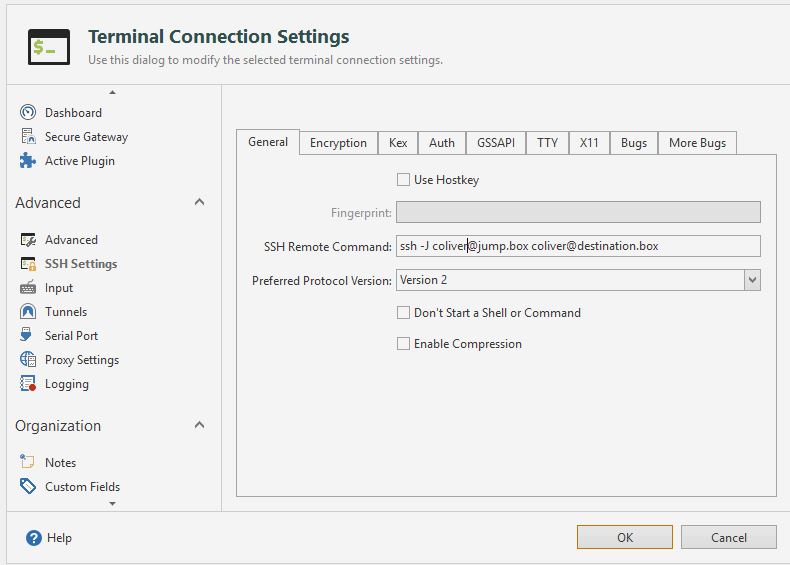
ssh -J [email protected] [email protected]
I cannot find the option to add additional parameters to the ssh connection when I add a Rebex or Putty terminal connection.
This article SSH Proxies and Jump Hosts seems to indicate it’s possible using the iterm2 plugin but I can’t see any mention of that anywhere in the options.
Can someone provide a step by step guide on how to achieve this type of connection?
Thanks,
Hi,
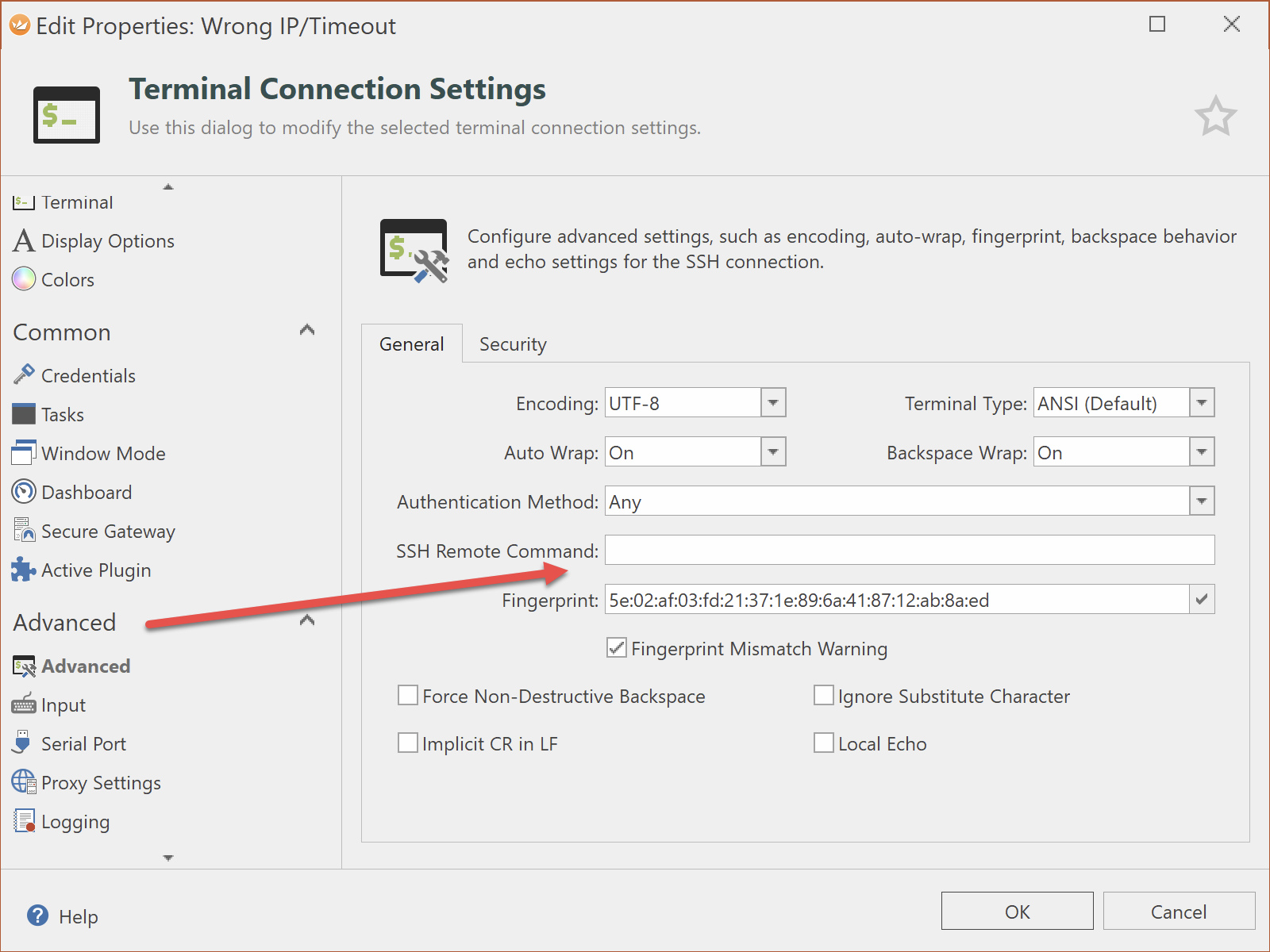
in Rebex you should be able to do it using the SSH Remote Command:
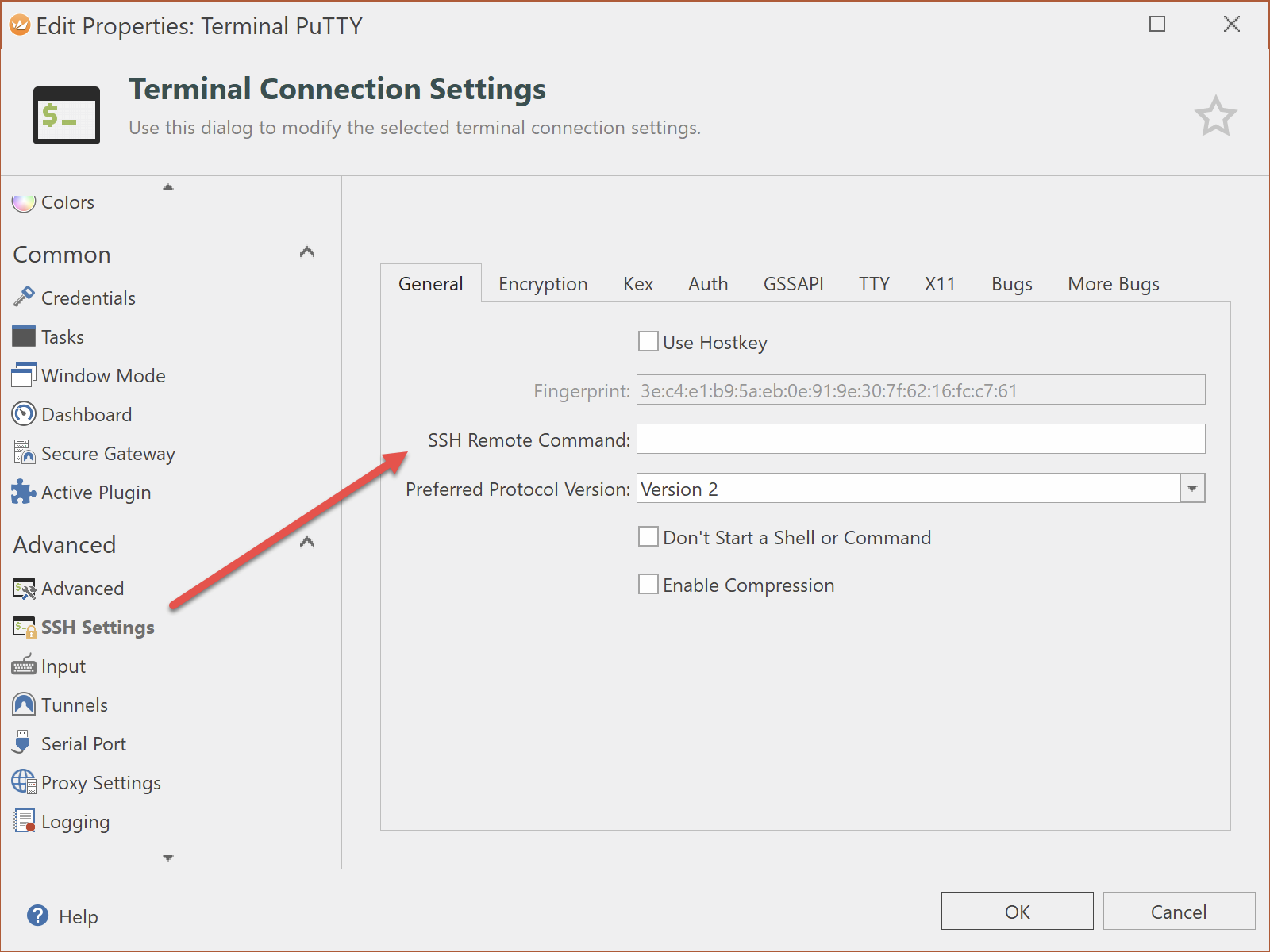
in PuTTY you also have the option to set the SSH Remote Command:
Note: the screenshots above are from Royal TS V4. As far as I remember, the rebex based plugin gained this functionality only in a V4 release. The putty based plugin should also support this feature in Royal TS V3.x
Let me know if this helps.
Regards,
Stefan
Hey, thanks for the reply.
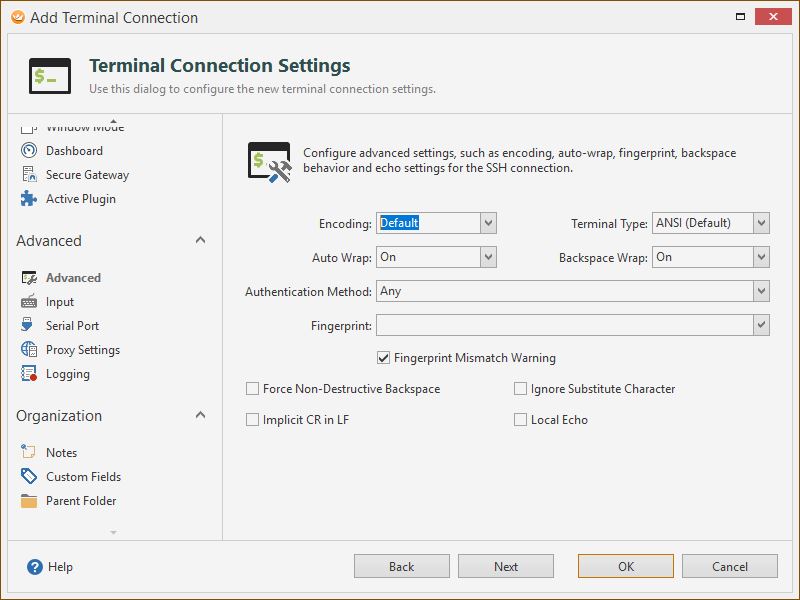
I don’t have that option for Rebex
It’s there for Putty but I don’t know what to enter there. Is it supposed to be the ssh command I want to run?
If I do this, it seems to just be running the regular ssh command and then I get disconnected once I connect.
Thanks,
Chris.
Hi Chris,
according to the PuTTY docs the remote command will be executed after connect and then, the connection will be closed.
From your screenshots, I guess you want to connect to the jump.box and on that machine you want to ssh into the destination.box, correct?
If so, simply enter as computer name of the PuTTY connection “jump.box” and provide the appropriate credetnaisl. In the SSH Remote Command field, enter
ssh [email protected]
More information can be found here:
https://superuser.com/questions/360351/can-i-tell-putty-to-connect-to-one-ssh-server-then-automatically-to-another
Let me know if this helps.
Regards,
Stefan
Thanks for the help! This works great.