If you’re unable to open Royal TSX Documents, either manually, or through Open documents from last session, the issue may be related to missing permissions.
The error message may display:
Warning
An error occurred while loading a document: Unknown error
Please make sure that Royal TSX has access to the folder where the document(s) are located.
This can be fixed by either giving Royal TSX Full Disk Access via the System Settings > Privacy & Security > Full Disk Access" section as shown here:
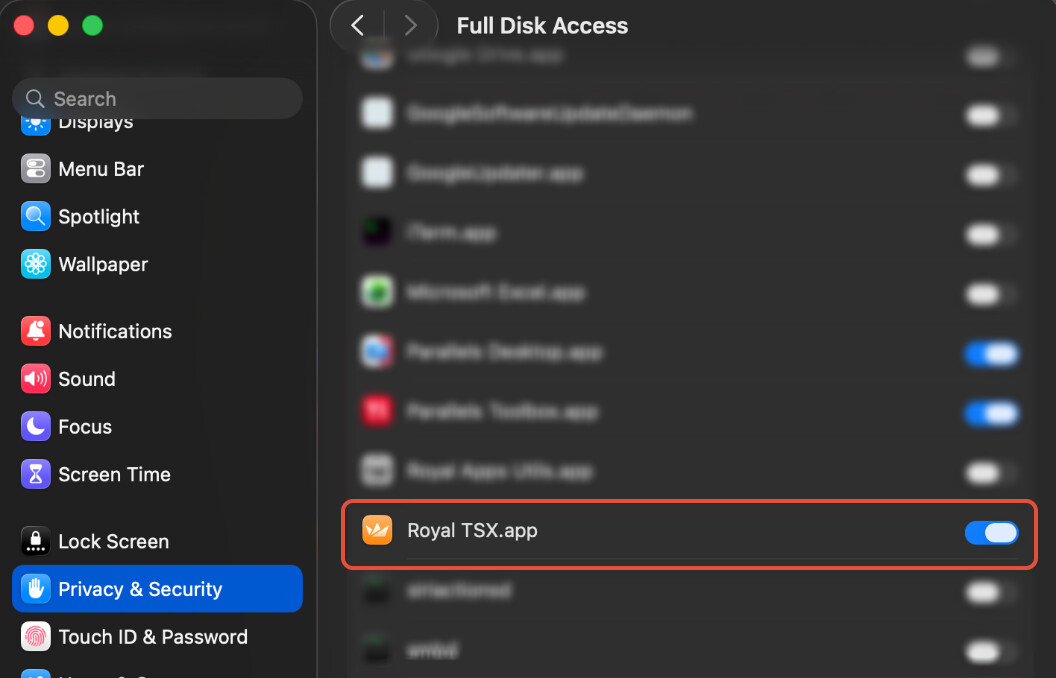
Alternatively, please select the affected folder in System Settings > Privacy & Security > Files & Folders and give the permission to Royal TSX.
Should you need any further assistance, don’t hesitate to reach out to us by creating a New Support Ticket here.