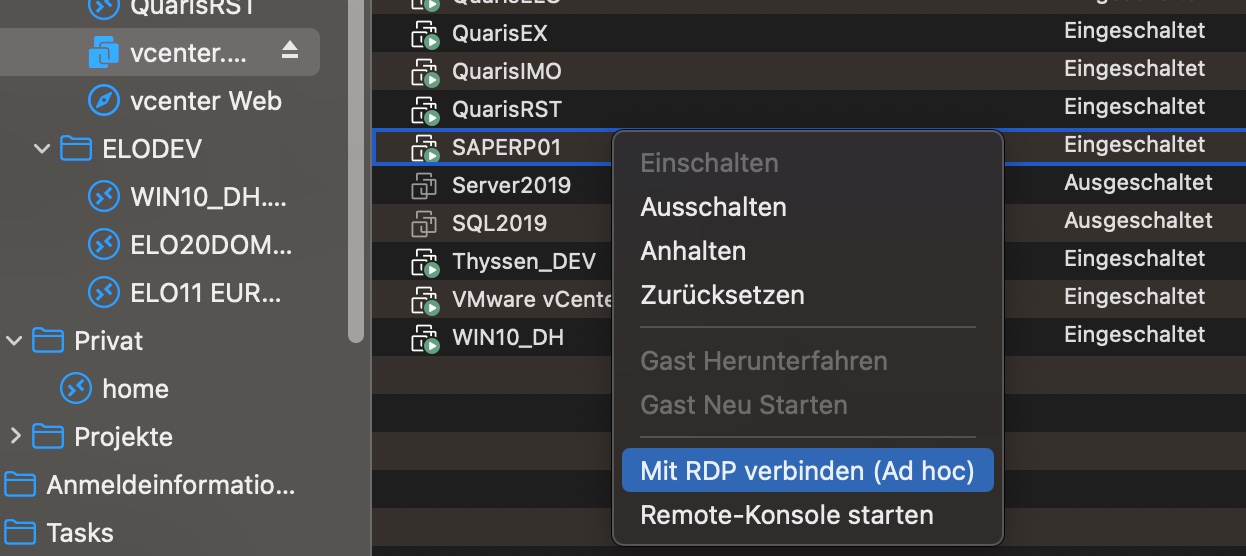
Hello Royals,
it would be nice to have a feature converting and saving ad-hoc Connections into the saved Documents.
For exampel I am using the VMware Management to show all the accessible Servers on a Cluster or Host, but I have no possibility to save them directly under my connections with further options.
Dominik,
the good news is, that this is already possible. If you have an active ad-hoc connection, you will see it at the very bottom of the Navigation Panel under “Application - Ad Hoc”. To save it, you can simply drag and drop it into your connection document. You will then be prompted regarding a “cross-document move”; once have made your decision, the ad-hoc connection will now be a new connection in your connection document.
I hope this helps!
Kind regards,
Germar Tischler
Hello Germar,
thanx a lot. That went well.
Do you know, how it is possible to open ad-hoc RDP by using right click out of the VMware Connection to a vCenter if you have the windows Royal TSX.
In Mac I have the option by right click. In Windows I have to navigate through menu thats strange…
BR
Dominik
Hi Dominik,
glad it works for you!
For Windows specific requests, please post in this forum: https://www.royalapps.com/go/forum-ts-win
thx,
felix