The new fullscreen toolbar on RDP connections in Beta 25 is nice, but it would be better if there was some delay before it appears. Even better would be if the toolbar didn’t cover the whole width of the screen (similar to mstsc’s native toolbar).
Thanks for the feedback! In our first prototypes, we tried a toolbar that didn’t span the entire screen width. However, the adaptive behavior of its items led us to the full-width approach. Different connection types also have different toolbar requirements—for example, web connections include the URL box and auto-fill controls—and we wanted a consistent look across all connection types.
The appearance delay is a good idea. We’ll implement that in the next beta.
Please add an option to disable the toolbar, too – I’m finding out it mostly gets in my way (especially when I’m trying to close programs by moving my mouse to the top-right corner of the screen).
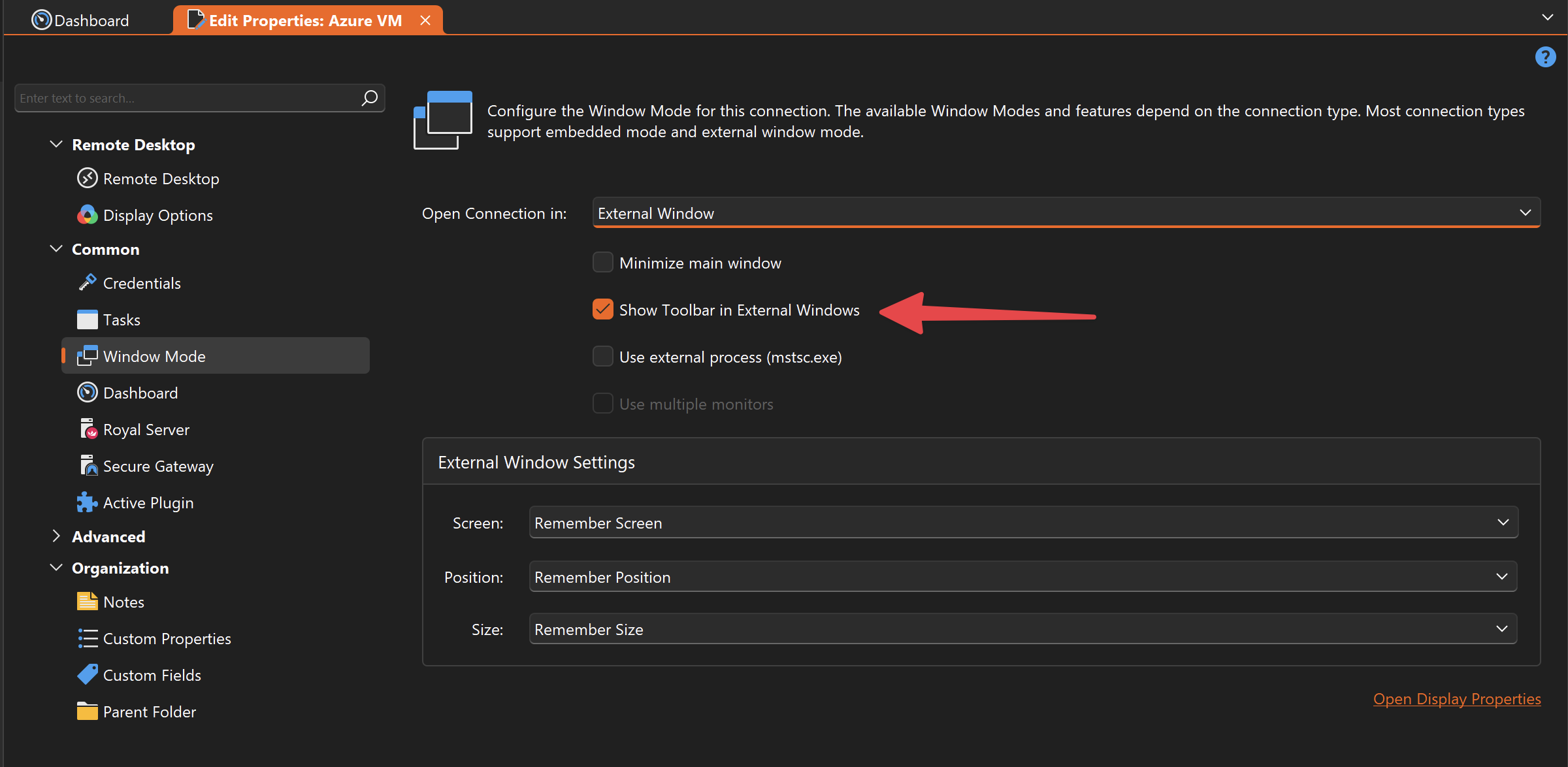
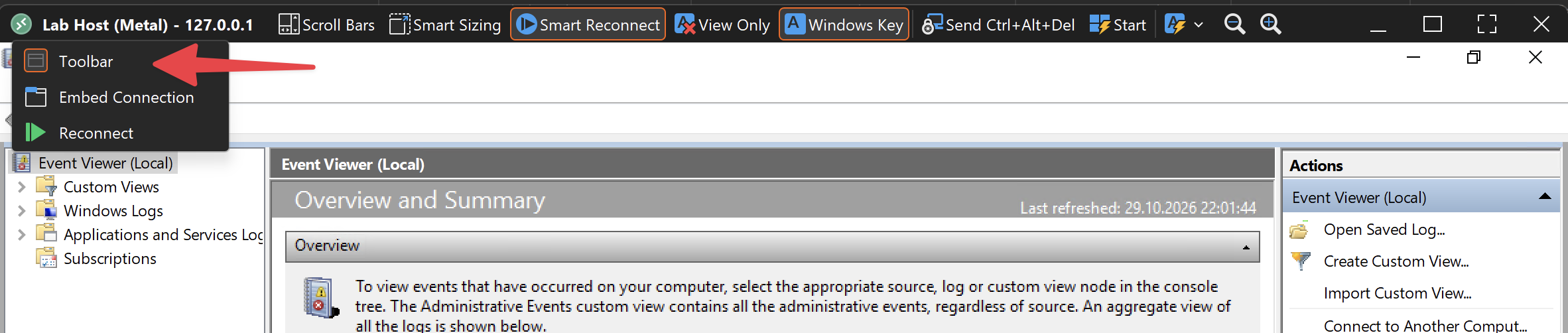
Looks like there’s a bug – I disabled “Show Toolbar in External Windows”, but the toolbar still appears; the toggle in the toolbar itself only affects the buttons in the middle, while the bar itself and menu button and minimize/restore/close buttons remain.
Hi!
This is by design. The checkbox only affects the toolbar and commands. The window caption or fullscreen slide in stays as is to allow the user to exit the fullscreen or use other options.
Regards,
Stefan
OK, please add some way to disable it completely – I managed to close the connection instead of the remote program I intended to 3 times today already (this would’ve been less of a problem if the toolbar didn’t span the whole width of the screen).
There’s also another bug – part of the toolbar seems to randomly get drawn over the connection window:

What do you mean with “disable it completely”. Not showing anything may get you stuck in the remote session if Windows key redirection is enabled.
If the toolbar is disabled, I can render a smaller “RDP inspired” overlay instead. I’ll check if that’s feasible and I will also investigate the redraw error.
I’ve got multiple monitors and the full-screen session only covers a single one, so I can always click outside and close the session. Even without that, Ctrl+Alt+Pause still works and puts the session into a window.
I see, in your case it will not be a problem. I just don’t want users to get into a situation they have issues getting out again. If the toolbar is disabled, I will show a smaller slide in UI to control the full screen window. I think that’s a good compromise, right?