# Dynamic Folder - Command Window always pops out
**URL:** https://community.royalapps.com/t/dynamic-folder-command-window-always-pops-out/2044
**Category:** Royal TS (for Windows)
**Created:** [December 30, 2024, 1:44am UTC](https://community.royalapps.com/t/dynamic-folder-command-window-always-pops-out/2044 "2024-12-30T01:44:58Z")
**Posts on this page:** 5
**Page:** 1
### Author:  [@nathan\_frankish](https://community.royalapps.com/u/nathan_frankish)
#### Post date: [December 30, 2024, 1:44am UTC](https://community.royalapps.com/t/dynamic-folder-command-window-always-pops-out/2044/1 "2024-12-30T01:44:58Z")
Hi -
Im trying to embed access to aws servers (via ssm) as dynamic folders - So far i successfully have it pulling the server list down, building the connection commands etc.
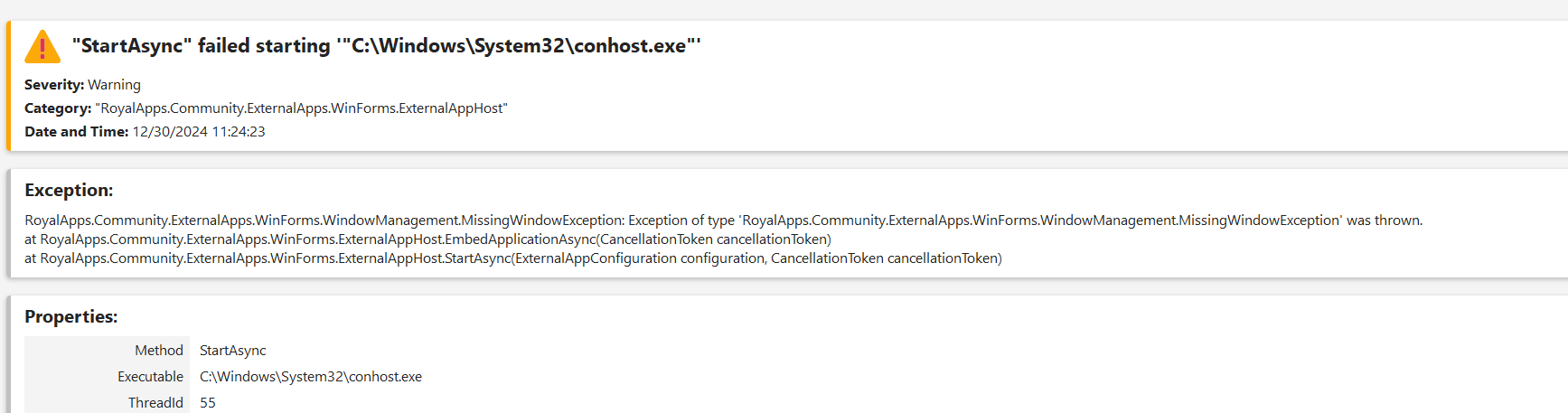
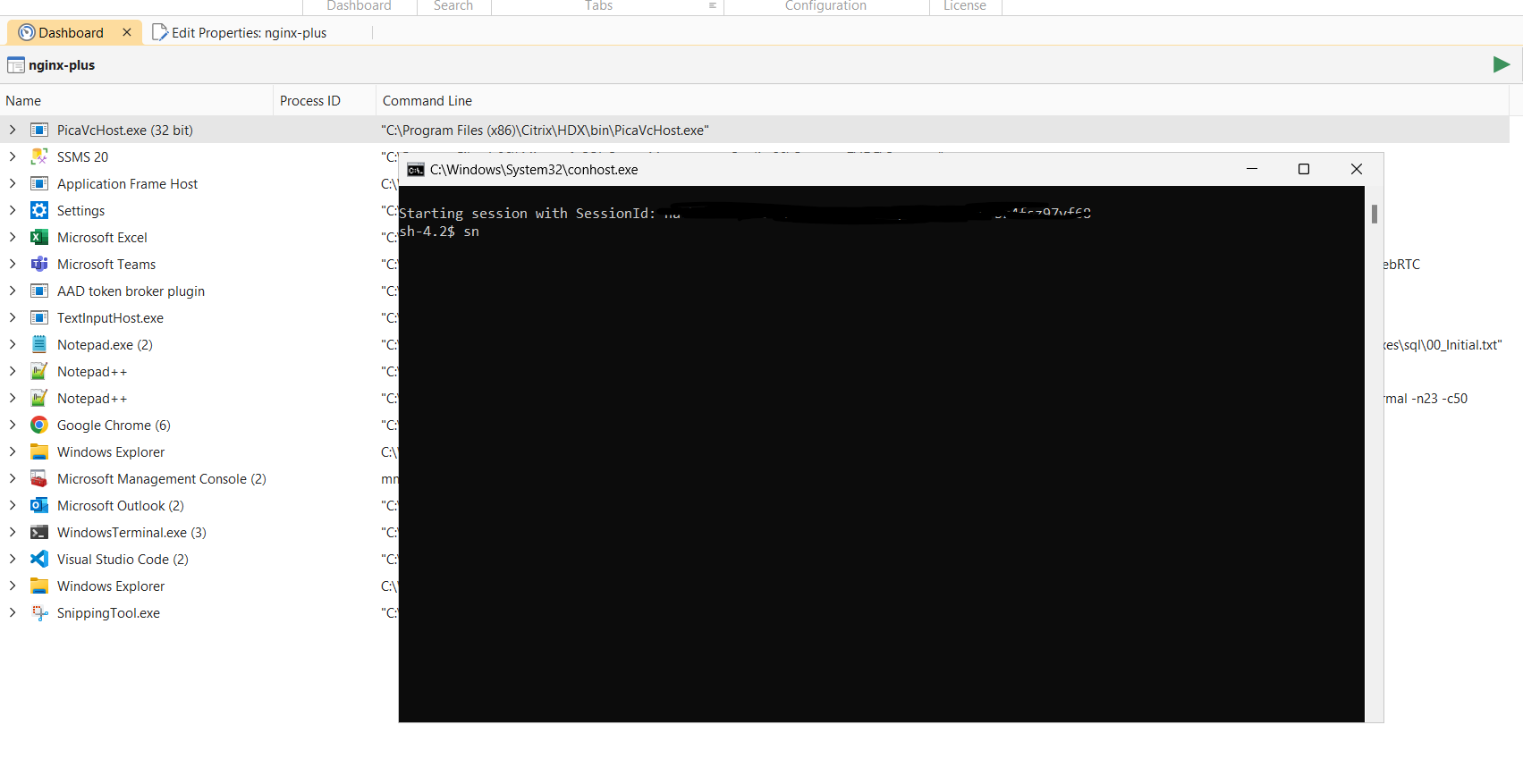
However i dont seem to be able to get it to stay embedded when i double click a connection - it launches a command prompt which works fine - but RoyalTS loses control of it, and puts an error in the log.
Ive tried power shell versions etc, and always have the same issue it pops up and stays in a external window.
I cant really find any good documentation on how to embed it correctly - Any suggestions?
---
### Author:  [@christoph\_muehlberger](https://community.royalapps.com/u/christoph_muehlberger)
#### Post date: [December 30, 2024, 12:40pm UTC](https://community.royalapps.com/t/dynamic-folder-command-window-always-pops-out/2044/2 "2024-12-30T12:40:15Z")
Hi Nathan,
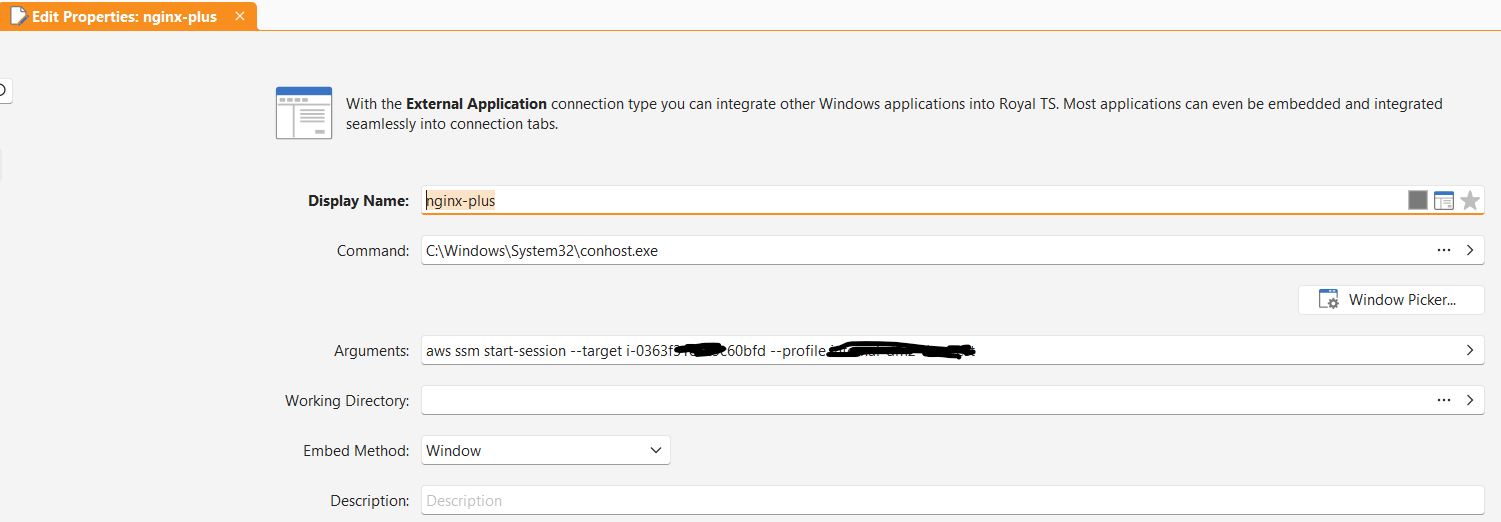
could you please paste screenshot(s) of your Dynamic Folder / connection configuration, so we can look into this?
Alternatively, you can also open a new support ticket via the following link:
[https://www.royalapps.com/go/support-ticket-new](https://www.royalapps.com/go/support-ticket-new)
Best regards,
Christoph
---
### Author:  [@nathan\_frankish](https://community.royalapps.com/u/nathan_frankish)
#### Post date: [December 30, 2024, 10:49pm UTC](https://community.royalapps.com/t/dynamic-folder-command-window-always-pops-out/2044/3 "2024-12-30T22:49:30Z")
Attached - Let me know if you want more -
Can move to a support ticket if needed, just figured others might learn from my mistakes when we work out what the issue is.
---
### Author:  [@christoph\_muehlberger](https://community.royalapps.com/u/christoph_muehlberger)
#### Post date: [December 31, 2024, 7:51am UTC](https://community.royalapps.com/t/dynamic-folder-command-window-always-pops-out/2044/4 "2024-12-31T07:51:19Z")
Hi Nathan,
thanks for the screenshots.
Can you try configuring the “Process Tracking” options, found in the Advanced section of the External Application, as shown in this example for Notepad++:
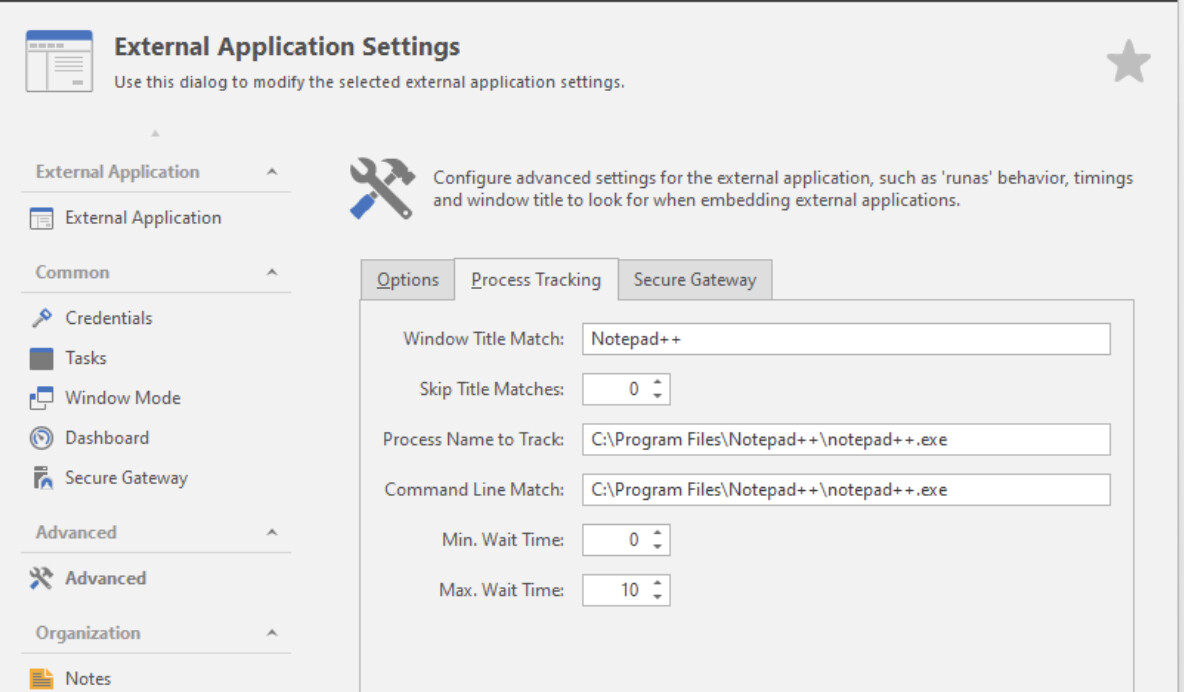
You can find out the Window Title Match/Process Name, Command Line Match via the Task Manager.
Please let me know if this helped, or you need further assistance.
Best regards,
Christoph
---
### Author:  [@nathan\_frankish](https://community.royalapps.com/u/nathan_frankish)
#### Post date: [January 8, 2026, 8:54pm UTC](https://community.royalapps.com/t/dynamic-folder-command-window-always-pops-out/2044/5 "2026-01-08T20:54:09Z")
I know im bumping an old thread, but for anyone else having issues with embedding AWS SSM or other aws commands, you need to set windows to default to Windows Console Host as the default terminal app.
Open **Settings** by pressing the `Windows` key + `I`.
1. In the left sidebar, click on **System**.
2. Scroll down and select **For developers**.
3. Under the **Terminal** section, use the drop-down menu to select **Windows Console Host**.