# Connection double click from navigation menu edits it, but should open
**URL:** https://community.royalapps.com/t/connection-double-click-from-navigation-menu-edits-it-but-should-open/2391
**Category:** Royal TSX (for macOS)
**Created:** [September 27, 2026, 3:34pm UTC](https://community.royalapps.com/t/connection-double-click-from-navigation-menu-edits-it-but-should-open/2391 "2026-09-27T15:34:52Z")
**Posts on this page:** 4
**Page:** 1
### Author:  [@bruno\_lancaster](https://community.royalapps.com/u/bruno_lancaster)
#### Post date: [September 27, 2026, 3:34pm UTC](https://community.royalapps.com/t/connection-double-click-from-navigation-menu-edits-it-but-should-open/2391/1 "2026-09-27T15:34:52Z")
Hello,
When starting royal tsx 6.4.5 and double clicking connection from navigation panel, it enters into connection name edit mode.
But it should start the double clicked connection.
Once you click 1 time on navigation panel, then connections are opened with double click.
---
### Author:  [@christoph\_muehlberger](https://community.royalapps.com/u/christoph_muehlberger)
#### Post date: [September 28, 2026, 6:46am UTC](https://community.royalapps.com/t/connection-double-click-from-navigation-menu-edits-it-but-should-open/2391/2 "2026-09-28T06:46:29Z")
Hello Bruno,
sorry that you are experiencing this behavior.
I just tried to replicate the issue but was not able to.
Could you please create a new support ticket here and attach a screen-recording showing the reproduction steps and the effect so we can try and reproduce the issue once more:
> **[Open Ticket | My Royal Apps](https://my.royalapps.com/ticket)**
Thanks & best regards,
Christoph
---
### Author:  [@bruno\_lancaster](https://community.royalapps.com/u/bruno_lancaster)
#### Post date: [September 28, 2026, 5:51pm UTC](https://community.royalapps.com/t/connection-double-click-from-navigation-menu-edits-it-but-should-open/2391/3 "2026-09-28T17:51:08Z")
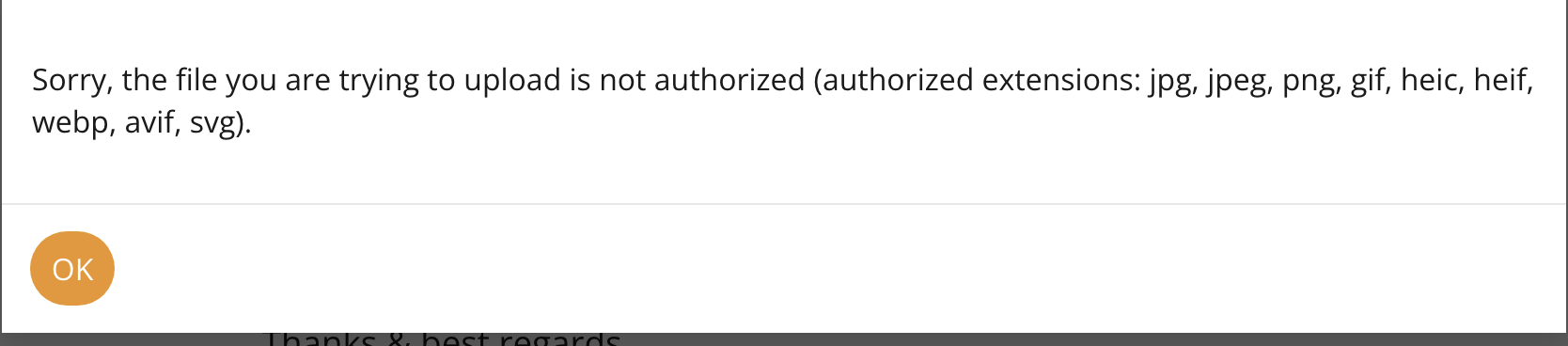
I’ve created screen recording file (mp4), but i’m not able to upload it.
Only images are allowed.
---
### Author:  [@christoph\_muehlberger](https://community.royalapps.com/u/christoph_muehlberger)
#### Post date: [September 29, 2026, 5:36am UTC](https://community.royalapps.com/t/connection-double-click-from-navigation-menu-edits-it-but-should-open/2391/4 "2026-09-29T05:36:15Z")
Hello Bruno,
thanks for the follow-up.
I believe attaching videos in the forums is not possible.
Could you therefore please create a **new support ticket here** and attach the screen recording showing the reproduction steps and the effect so we can try and reproduce the issue once more:
> **[Open Ticket | My Royal Apps](https://my.royalapps.com/ticket)**
Thanks & best regards,
Christoph